How to add an Unknown GP to a Patient’s Record
Information
When registering patients where you do not know the GP details, or the patient is not registered with a GP Practice, NotKnown can be used. Note Scottish GPs can now be searched for by name in the way that you would add any other GP.
These instructions also work with SchApptBook – when you are checking a patient in for their appointment
If you require the patient to be admitted at the same time as their record is created, you will need to proceed with a
CM Emergency Inpatient Admission on
CapMan. The guide for this can be found here, in the “GP Details” section:
Emergency Inpatient Admission – IT Training Support Instructions
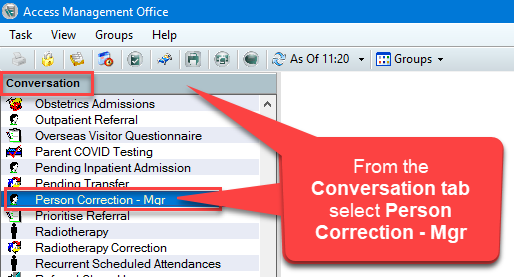
- From the Conversation tab, in PM Office, select Person Correction Manager:
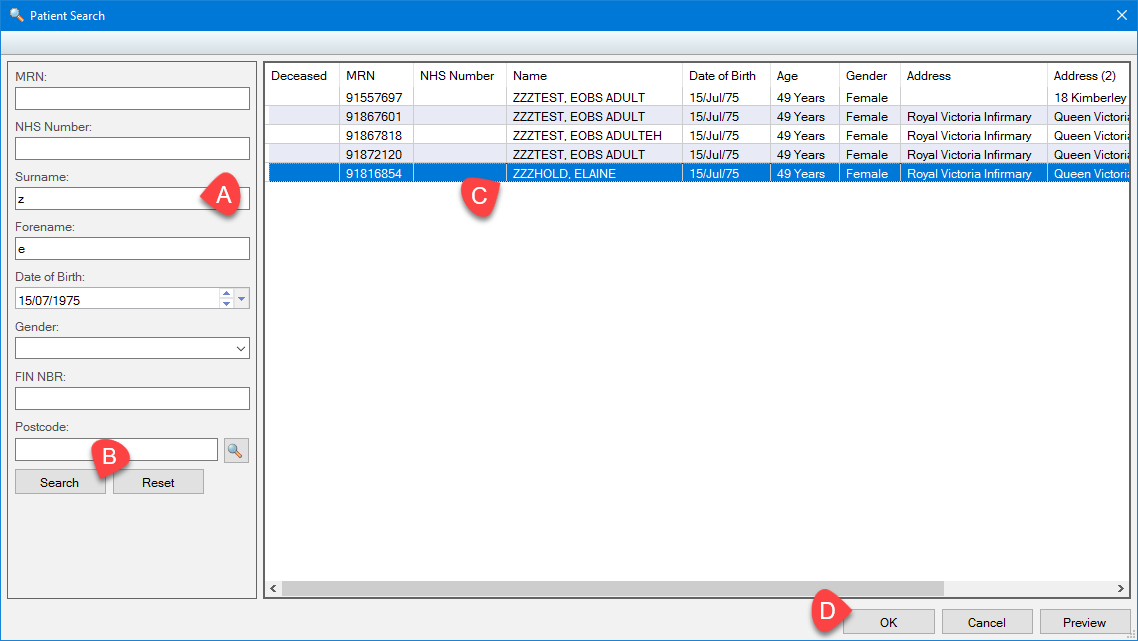
- Search for your patient:
a. Using their MRN or NHS Number (If you don’t have a number, use the patient initials and DOB)
b. Click the Search button
c. Select the correct patient
d. Click OK:
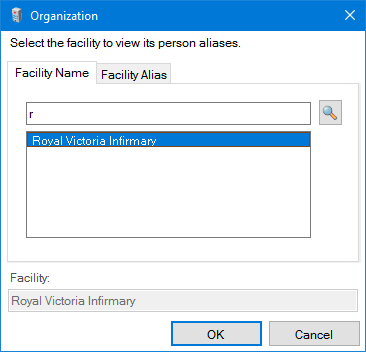
- In the Organization window, enter the first letter of the hospital site where the patient will be seen (eg. r for RVI) and click OK:
- Update demographics such as name, telephone number or an incorrect date of birth by over-typing the existing information.
Update GP Details
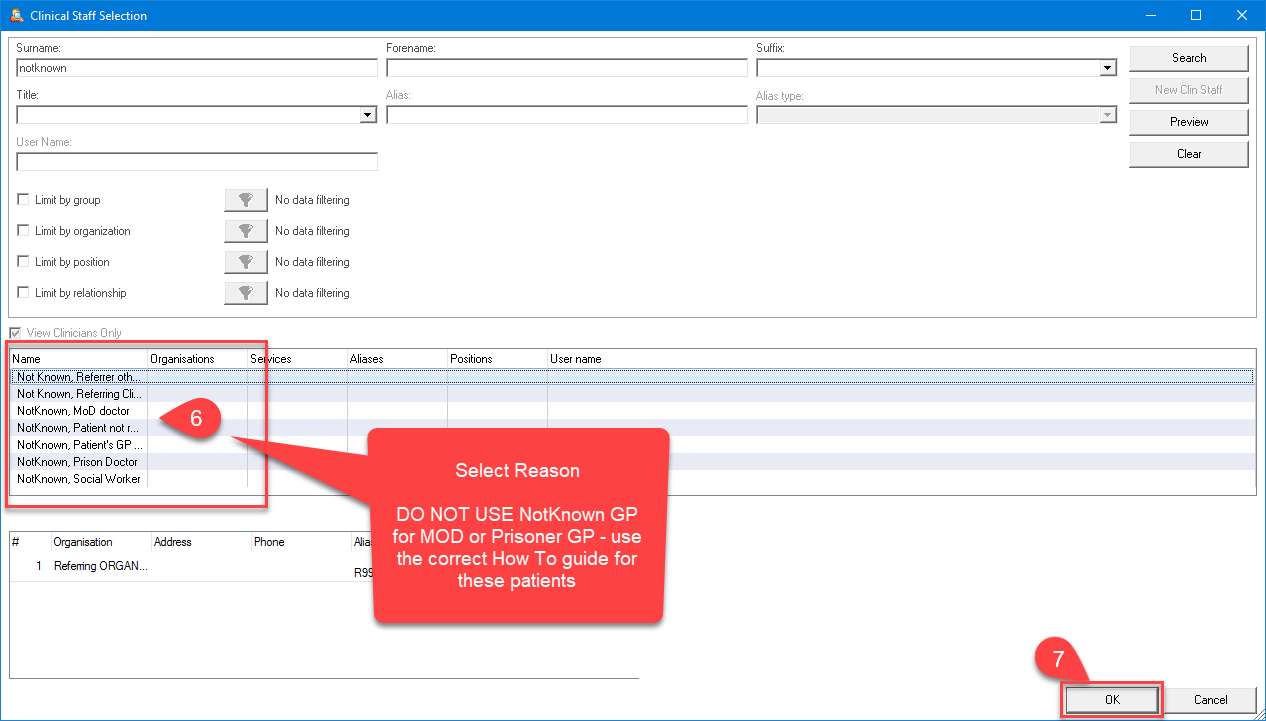
- Delete the patient GP if one exists and enter NotKnown, click the magnifying glass to search.

- Select the correct reason for NotKnown.
- Click OK.
- Add a GP Begin Effective Date (T for today or type a date).
- Click OK to update and close the patient record.
