Detailed Guide
How to unrecord an administered dose
Scenario
How to unrecord (mark in error) a medication administration in the Drug Chart.
Instructions
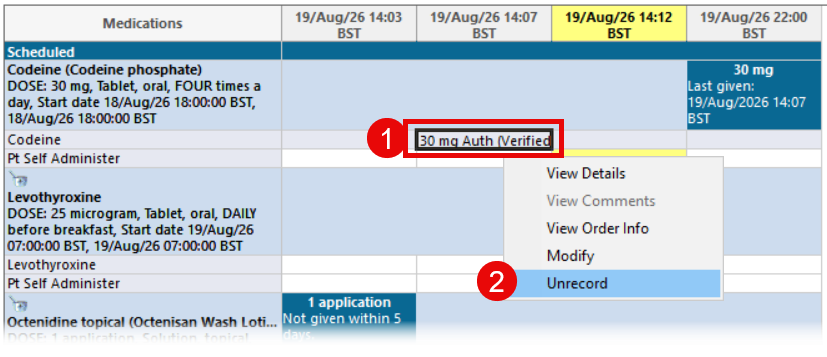
- In the Drug Chart, locate the documented administration you wish to change.
- Right click and select Unrecord.
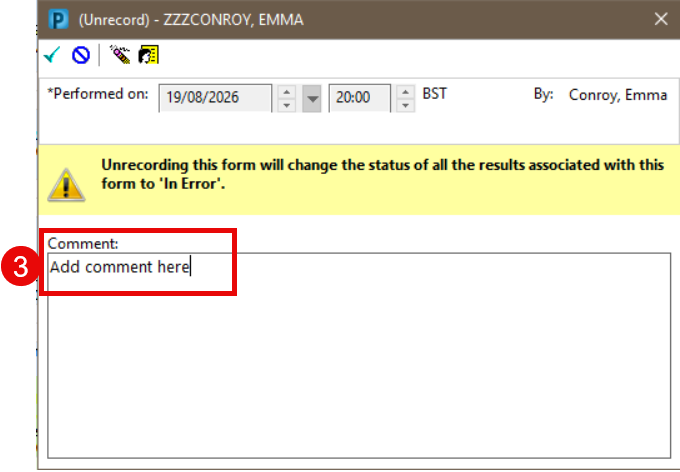
- The Unrecord pane will open. Enter the reason for the change in the Comment free text box.
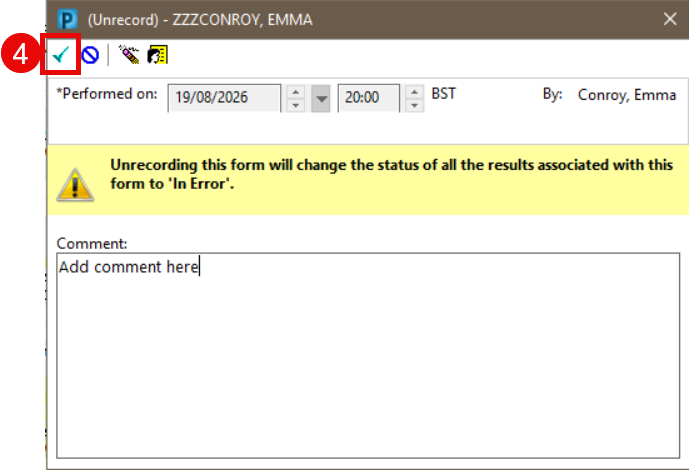
- Once a comment has been added the Sign button will become active. Click Sign.
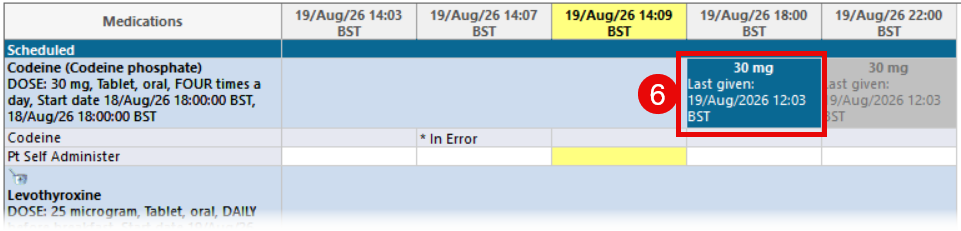
- In error will now be displayed in line with the drug name at the time the incorrect administration was performed.
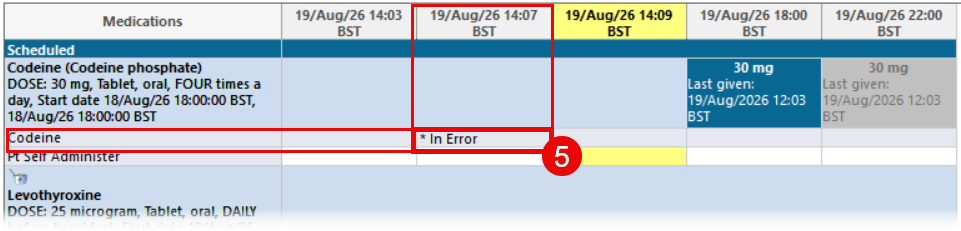
- The dose administration box will return to the drug chart at the date and time it was scheduled.
Updated: 28 September 2026
