Registering a baby in PMOffice (eRecord) Maternity
Labour and Birth section BadgerNet Maternity
- Within Labour and Birth (BadgerNet Maternity)
- Select the Baby tab
- Then NHS Baby Registration, once selected this information is transferred to eRecord

Then select the Register Baby on PAS
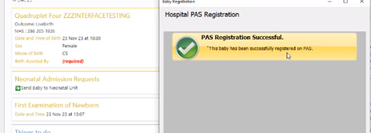
This will add a worklist on PMOffice (eRecord)
- Log in to eRecord
- Select PMOffice
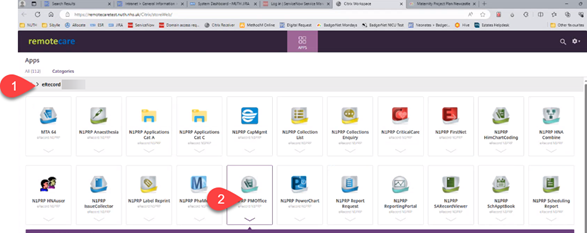
Then select:
- Worklist
- Double click on Newborn Babies Needing Encounters
- This will display the baby information (below)
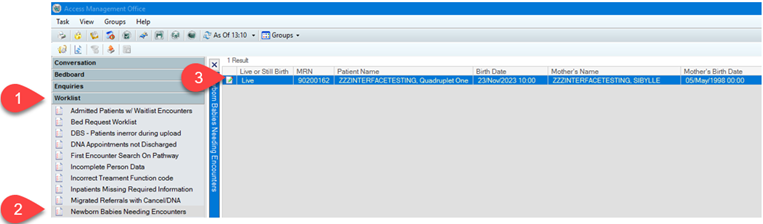
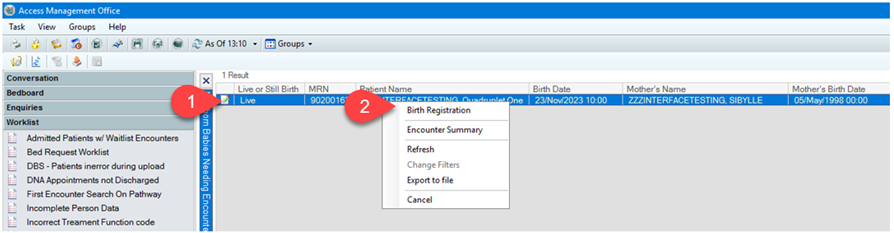
- Right click on the baby information
- Select Birth Registration
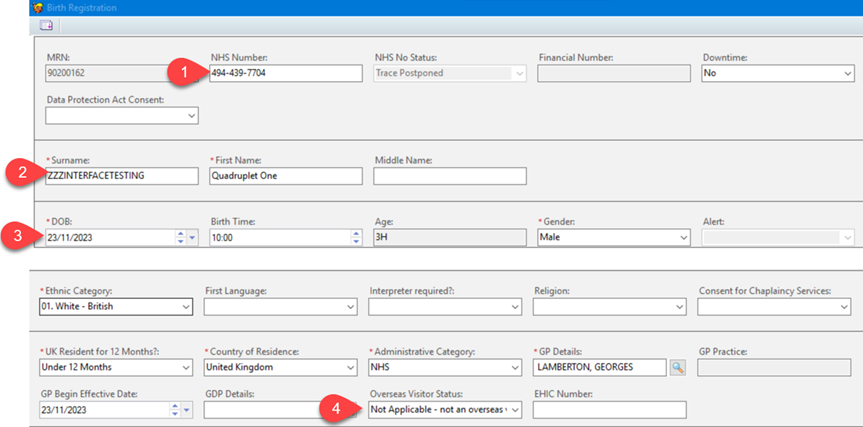
The form will display:
- The assigned NHS number
- Baby’s surname
- DOB
- Overseas Visitor Status
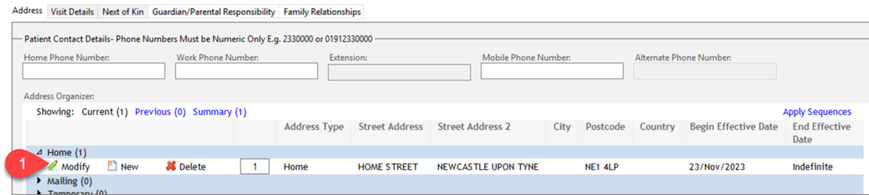
- If mother and baby linked on BadgerNet after birth – the address will display
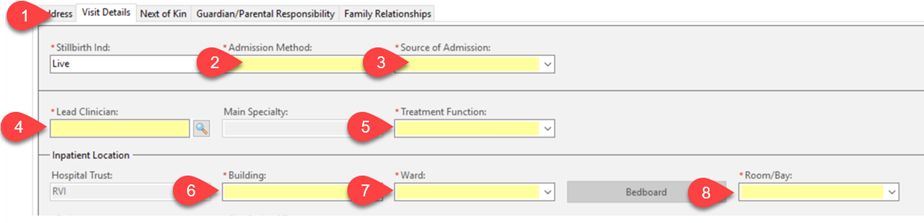
- If there wasn’t time to link mother and baby on BadgerNet, then all fields highlighted in yellow, must be completed manually on the Visit Details tab
- Admission
- Source of Admission
- Lead Clinician
- Treatment Function
- Building
- Ward
- Room/Bay
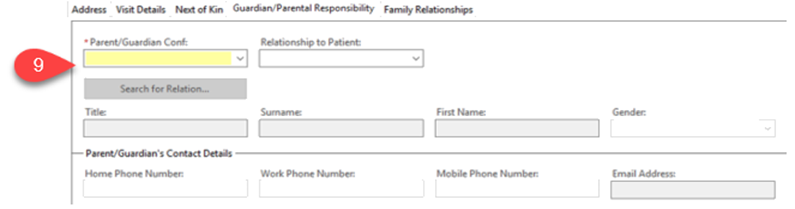
- Parent/Guardian conf.
Updated: 2 May 2024

