eRecord
PowerChart
Capacity Management
SchApptBook
PMOffice
Anaesthesia
IT Systems
Attend Anywhere
Administration
Clinicians
Service Desk
BadgerNet
Maternity
Neonatal
Digital Dictation
ICNET
Medicus
mediSIGHT
MilkTrac
Occupational Health
Patient Engagement Platform (PEP)
SystmOne
Trust Intranet
Digital Skills - M365
Digital Skills - M365
Microsoft Office Skills Training (MOS)
Videos
More results...
Generic selectors
Exact matches only
Search in title
Search in content
Post Type Selectors
Search in posts
post
Search in pages
page
ufaq
Food Charts
Select
Assessments/ Fluid Balance
from the menu on the left:
The location of the Food Chart varies depending on whether you are viewing an adult or paediatric patient:
Paediatrics:
Ensure that you have the ‘Paediatric Quick View’ Navigator Band available.
Adults:
Ensure that you have the ‘Adult Quick View’ Navigator Band available.
If you cannot see the Navigator Band please see the guide
here
to add it to your view.
Select the
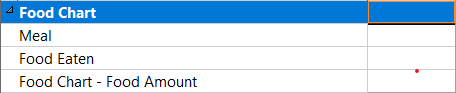
Food Chart
option and document the details.
Sign using the green tick to the top left:
Updated: 3 June 2026
Return to Food Charts