Set your Default Home Page
How to set your default home page. This is the first page you see when you open the patient record.
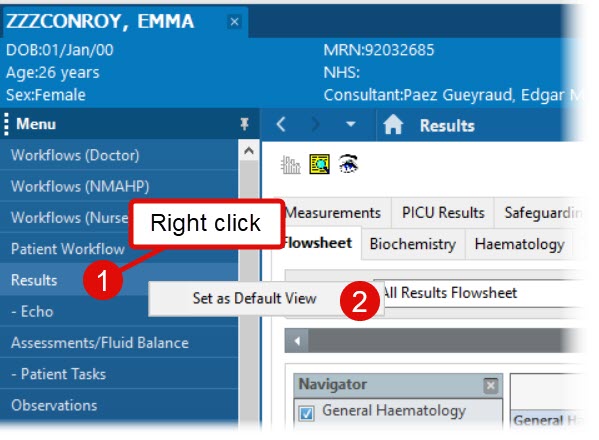
- With a patient record open, right click on the item in the blue menu you want to set as your default home page
- Select Set as Default View.
- Next time you open a record this will be the first screen you see.
Updated: 25 November 2026