
More results...
More results...
The Caring for the Dying Patient Workflow is designed to contain all of the elements needed to care for a patient entering end of life care.
To access the workflow, open a patient’s record in PowerChart. Once you are in the patient record, open the workflow tab at the top of the blue menu on the left hand side of the screen.
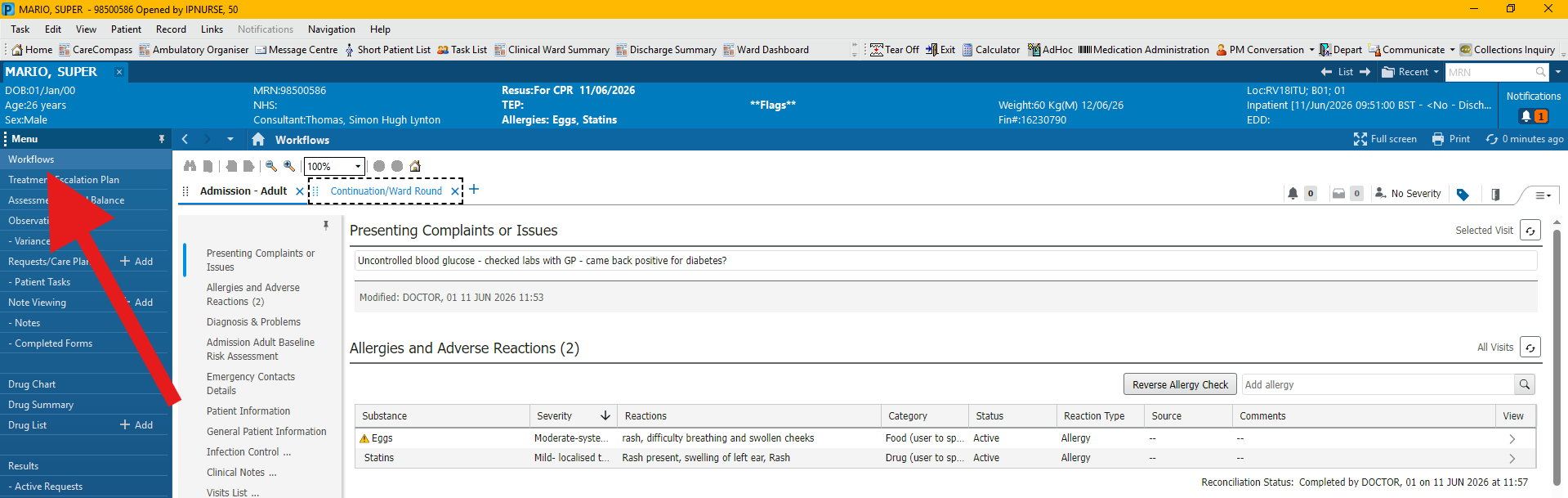
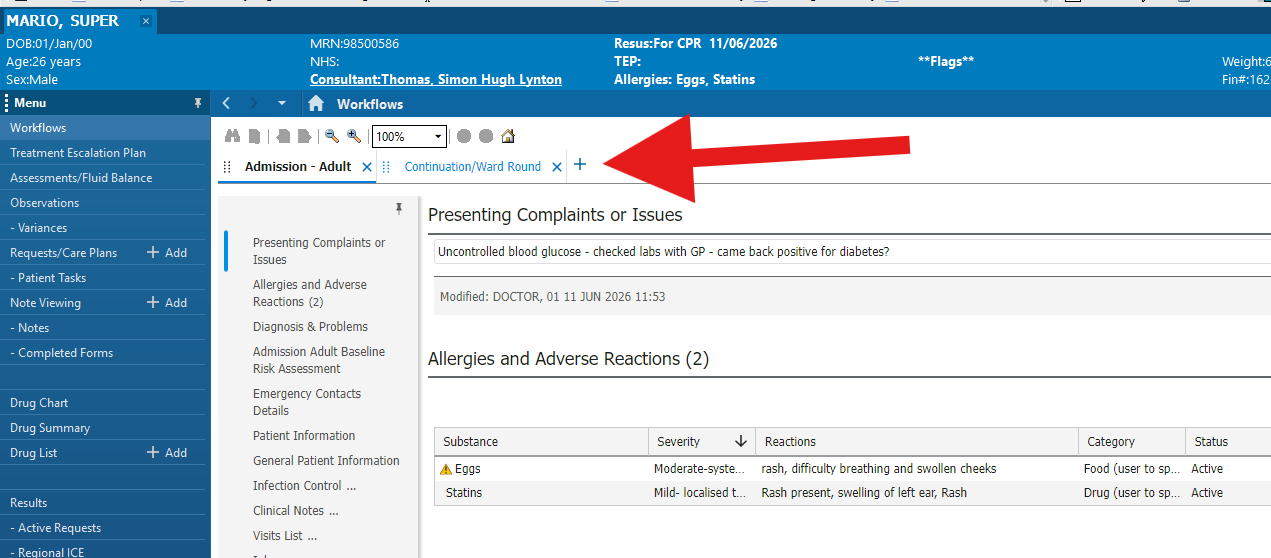
Once you have workflows open, you will need to open a new workflow. To do this, look along the row of workflow tabs and click on the last tab which should show a plus button. This should be above your current workflow but below the blue banner bar.
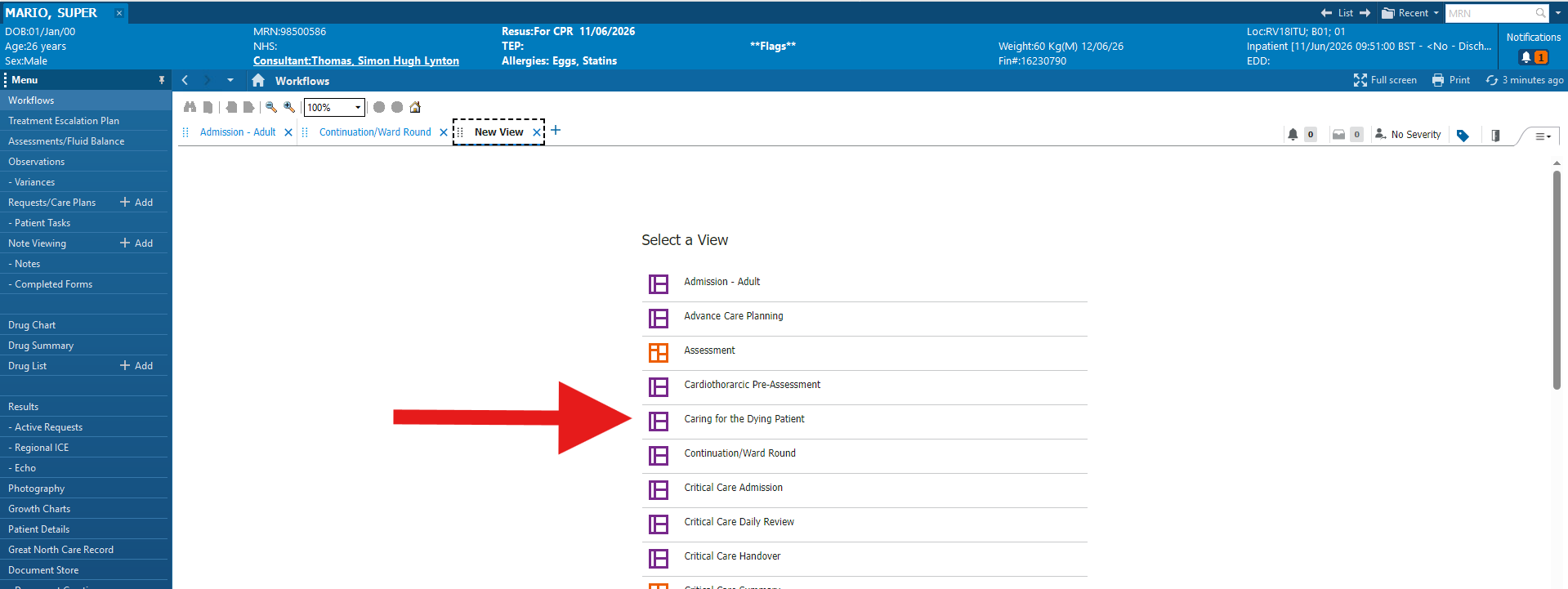
This will open a new tab showing all the workflows available in alphabetical order. Scroll down until you see “Caring for the Dying Patient” and click on this workflow.
The Caring for the Dying workflow contains the following elements. All should have useful functions in managing the patient through the final stages of their life.
Patient Information – Provides high level information on the patient.
Allergies and Adverse Reactions – Shows all patient allergies and reactions.
Emergency Contact Information – Shows patient’s emergency contacts, which will allow you to be in contact with family or loved ones throughout the process.
Clinical Notes – Clinical notes shows a list of all forms/notes completed in relation to that patient. To view the contents of a form, click on the line and a menu should appear from the right hand side of the screen showing the information gathered from the note/form.
New Order Entry – Allows clinical staff to order PRN medication, tests or any other orders which will improve the patient’s quality of life. Also can be used to initiate the Caring for the Dying Patient Care Plans
Medications and Medical Devices – Shows a summary of the devices and medications ordered for a patient. The items are categorised into the following groups (Scheduled, Continuous, PRN/Unscheduled Available, Administered Last 24 Hours, Suspended, Discontinued Last 24 Hours)
BioChemistry – Shows a summary of all lab work, chemical results and bloodwork for the patient. This allows you to monitor inflammatory markers within the patient.
Comfort Observations – This will show a summary of the data collected by the e-Obs Comfort Observations machine. For more info on this, please refer to [insert guide hyperlink here]
Care for the Dying Patient Forms – Click on the plus button to access all of the Caring for the Dying Patient forms. This includes the initial assessments for both nurses and clincians and the daily reassessment form.
The workflow also allows you to generate a “End of Shift Nursing Note CFTD” or select another clinical note. To do this, scroll to the bottom of the grey “contents menu” on the left hand side of the workflow and click on the blue text at the bottom corresponding to the note you want. This will open the note viewing section allowing you to complete and sign your note.