Share a SharePoint file by attaching a copy in an email
You’re looking to share a current copy of a SharePoint file to people who have a nhs.net address or a non nhs.net address
Step-by-Step Instructions
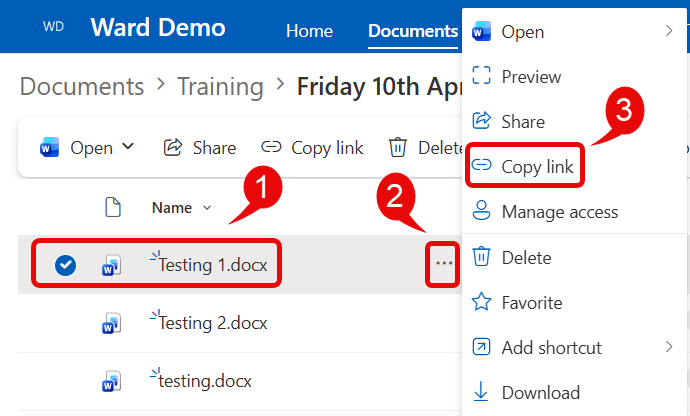
- Within your SharePoint document library, locate the file you are wanting to share
- Click on the More Actions three buttons
- Select Copy link
- A window will open informing you the link has been copied
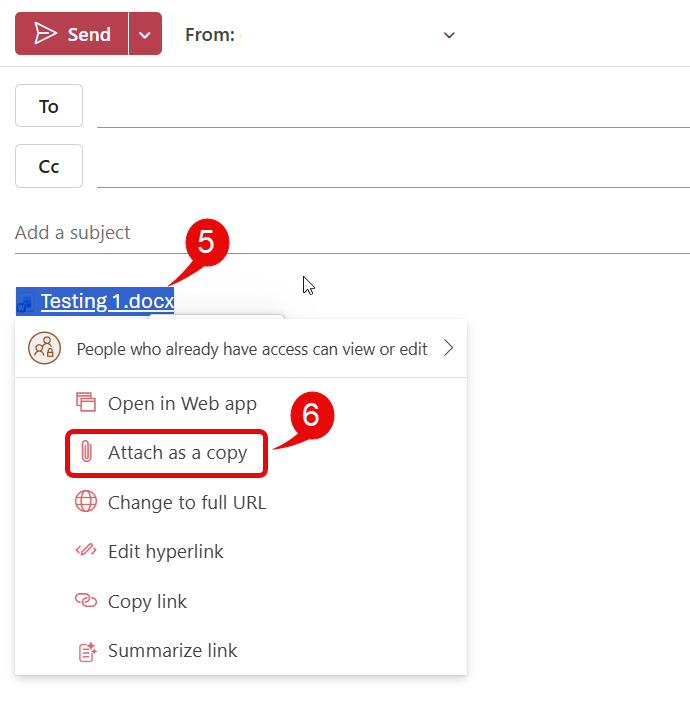
- In Outlook, paste (Ctrl + V) the link into your new message body
- Right-click on link and from opening window, select Attach as a copy
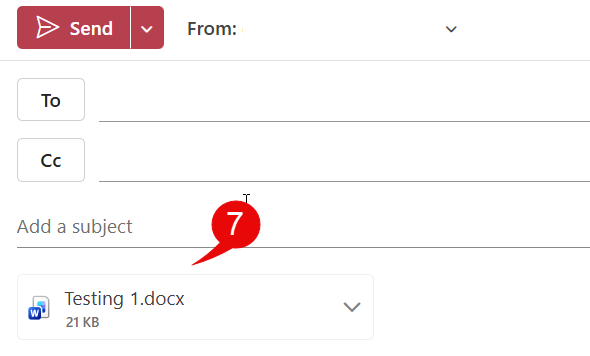
- The file will now be attached as a copy
Note – If recipient’s have editing permissions, the document won’t update in SharePoint as the web link has been broken.