How to Prescribe & Record the Administration of Bleeding Disorder Treatment
How to prescribe and administrator bleeding disorder treatments
This guide is split into 3 sections:
- Prescribing Bleeding Disorder Treatment
- Documentation – Reason for Bleeding Disorder Treatment
- Recording Administration
Prescribing Bleeding Disorder Treatment
- Log on to eRecord, access patient, click Requests/Care Plans from the blue menu on the left, then click on +Add.
- Search for the treatment by name and click on the order plan.
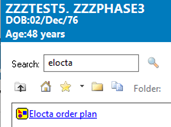
- The order plan will open. There will be up to four components per order to document treatment indication: a Haemophilia record form, the order for the bleeding disorder treatment, orders for clotting factors may also be available.
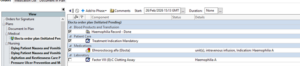
- To prescribe tick any of the components in the order set boxes and click on Orders for Signature in the bottom right.
- Complete the dosing instructions for each part of the order by clicking on each one in the order detail screen.
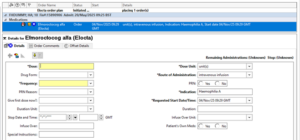
- the following fields are mandatory:
a. Dose
b. Dose unit
c. Route of Administration
d. Frequency (see below)
e. Start date and time Note: You can change the default administration times by selecting the frequency field and clicking on the ‘…’ button
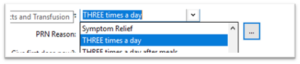
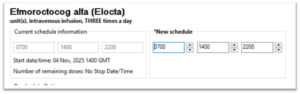
- the remaining fields are optional. For a limited course remember to complete the ‘duration’ and ‘duration unit’ field.
- Once all necessary fields are completed click on OK and Sign
- To update the prescription, highlight the line, right click and Modify, update each line as needed and click on OK or orders for signature and then OK.
Documentation – Reason for Bleeding Disorder Treament
Documentation of the indication for treatment is mandatory and required for data submission. This can be documented in two ways – during the ordering process or after ordering using the document in plan function. Both methods are described below.
- A component of the plan will prompt for the treatment indication when ordering.

- To record the reason for use of the bleeding disorder treatment, post-prescribing, complete the Haemophilia Record Form. To do this, access the plan and click on ‘Document in Plan’.
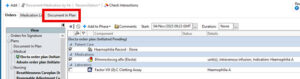
- Click on the following icon


- The first question relates to treatment type: Bleeding or Prophylactic
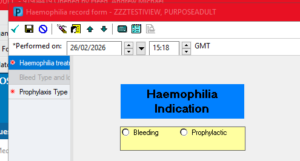
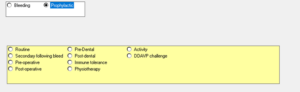
- If prophylactic is selected a second mandatory box becomes active
- If bleeding is a selected there is a new section to complete
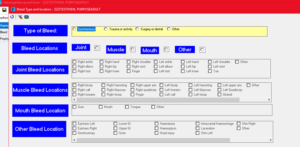
- Complete all of the mandatory fields and then click the green tick in the top left hand corner to sign the details.
Recording Administration
- Access drug chart from the blue menu on the left of powerchart
- To record administration, click on the blue dose box. This states the dose to be given in a date and time column. It is essential to read the full dose instructions.
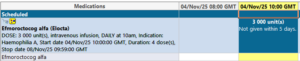
- The drug administration pane will open
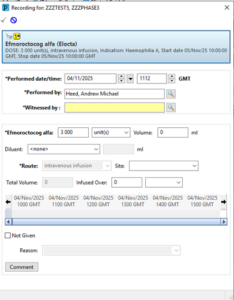
- To complete the record click on the green tick in the top left
- The dose is recorded in the drug chart
- A secondary dose will become active in the drug chart (Haemophilia Factor Batch and expiry)

- Click on the dose box to capture the details of the product
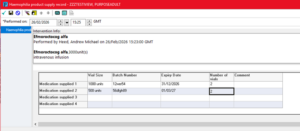
- Sign the form with the green tick in the top left once completed.
