You may want to create a copy of an original file, then rename and edit the copy, for example creating a copy of a template or shift handover document.
Step-by-Step Instructions
Open the document you want to copy
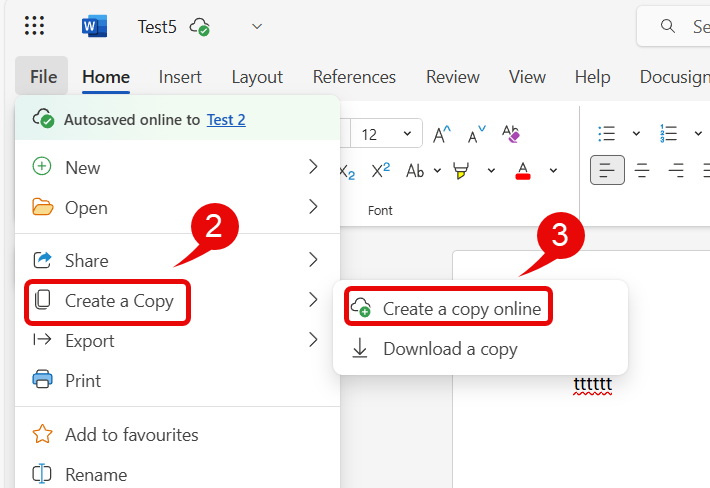
Select the File tab, then Create a copy
Select Create a copy online
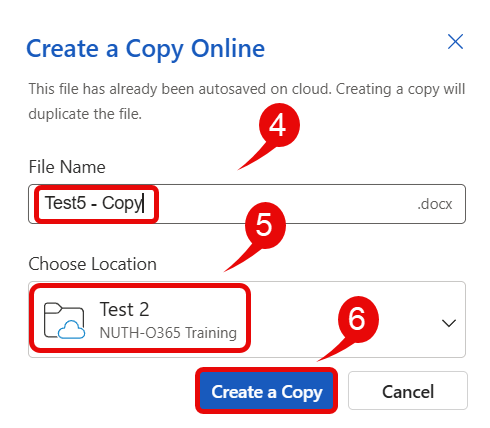
Name your file
If you need to change the location where you want your file to be saved then click on the down arrow and choose the file location
Click Create a Copy
Your new copy opens and you can start editing the document