More results...
More results...
Medications must be prescribed using Powerchart, but must also be prescribed onto Medisight to ensure they match. Once prescribed on Powerchart, head to the Medications page in the Navigation Menu:

The Medications page will show all Current (green) and Past (pink) medications, reported or prescribed within mediSOFT/mediSIGHT
To prescribe a new medication, click on the Prescribe new button:
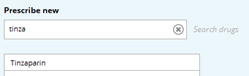
A section will appear above the medication list and will prompt you to either search for a medication:
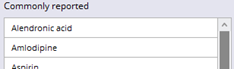
Or to select a medication from a list of commonly reported medications:
Once you select a medication, depending on the medication, it may prompt you to choose a standard order:
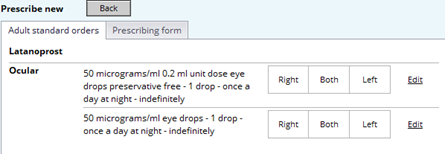
Or it will take you straight to a prescribing form where you can fill out all mandatory fields, then click OK once finished:
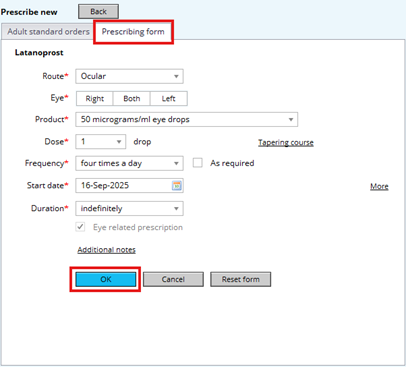
The medication then saves those details and shows the order on the right side of the screen.
At this point you can either:
1) Search for more medications to prescribe
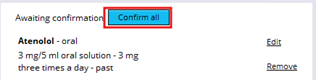
2) Click “Confirm all” once everything has been added:
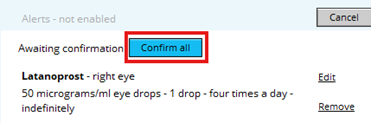
Medications can be reported onto mediSIGHT as they do not pull in automatically from eRecord (Powerchart). Reporting a medication is not prescribing it, it is essentially putting it on their record for informational purposes. You can report a medication halfway through a pre-op assessment, or you can manually report them going into the Medications page in the Navigation Menu:
The Medications page will show all Current (green) and Past (pink) medications, reported or prescribed within mediSOFT/mediSIGHT
To report a new medication, click on the Report new button:

A section will appear above the medication list and will prompt you to either search for a medication:

Or to select a medication from a list of commonly reported medications:
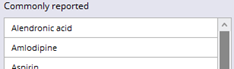
Once a medication has been selected, you will be prompted to enter relevant information:
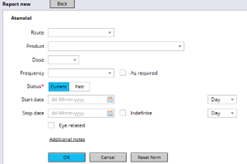
Note: only “Status” is mandatory.
Once information has been entered, click the blue “OK” button, which will then take that information and place it under the medication on the right hand side.
At this point, you can search for another medication and repeat this process to report more, or you can click “Confirm all” to finalise the reporting of the medication.