More results...
More results...
To access the Summaries page, click on Summaries in the Navigation Menu
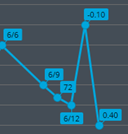
The summaries page will show a variety of data, which can be changed by using the data boxes above the charts. To view scores on the chart, you can hover over each point.

The Summaries page has two “views”: Retina or Glaucoma.
Choosing either of these options will display different information. The Retina tab will show injection plans, Visual Acuity and all its relevant information (just like the overview page), as well as IOP down below. The Glaucoma tab will show medication, Visual Fields and IOP down below.
You can select which eye you want to view by selecting either ”Right”, “Both”, or “Left”

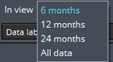
Selecting the “In view” box allows you to select what time frame to pull information from.
Selecting “IOP – Method” or “VA – Correction” allows you to filter the scores shown to be only the choice selected, as by default you will see all tests record using all IOP methods or VA scores using all correction methods.

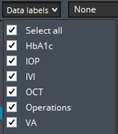
Selecting data labels allows you to show all data labels without the need for hovering over them to see their information: (NOTE: you can enable these data labels within your Tools > Settings page, where you only have to do this once and your choices will be remembered, saving you having to enable these data labels every time you visit the Summaries page)