Introduction
An anaesthetic record can become locked to prevent simultaneous editing by multiple users and through improper application exit. The following instructions will show you how to unlock the record.
Instruction
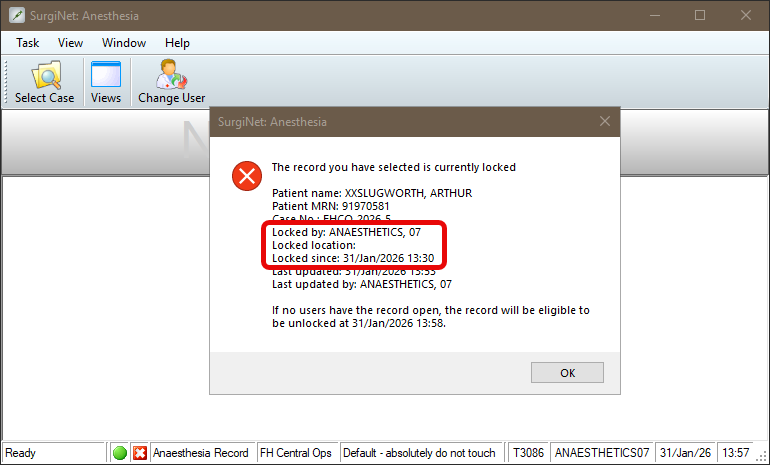
- A window appears showing that the record is locked. Please note the Username, Locked Location and Date & Time.
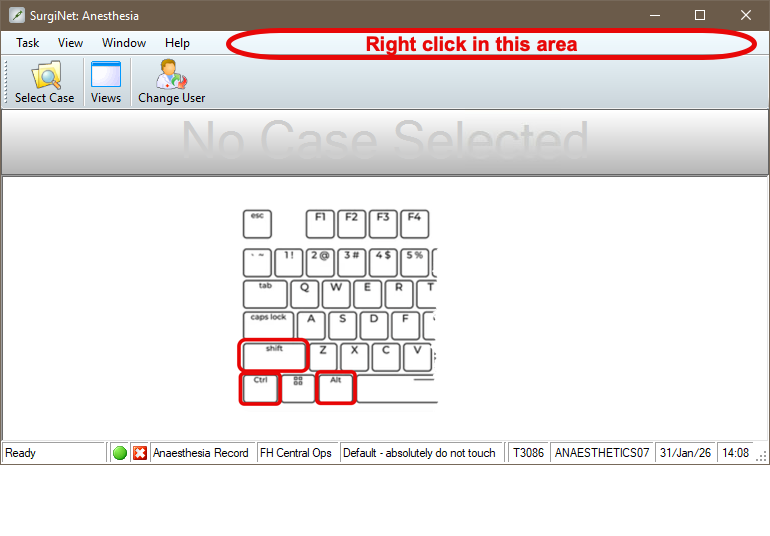
- While pressing Shift + Alt + Ctrl, right-click on the empty part of the grey menu bar at the top.
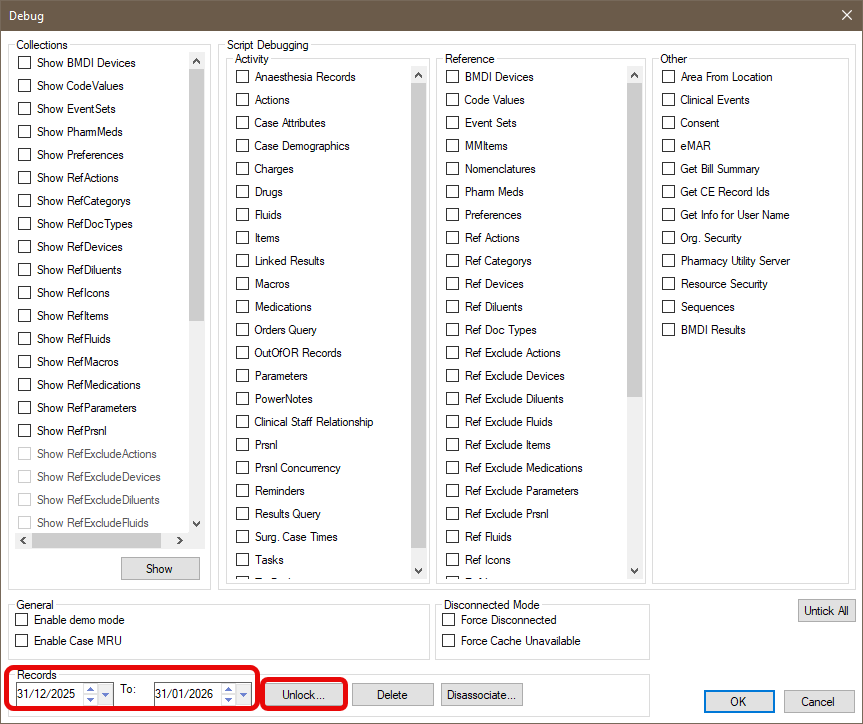
- The debug window will display. At the bottom of the window, select the date the record was created and click Unlock.
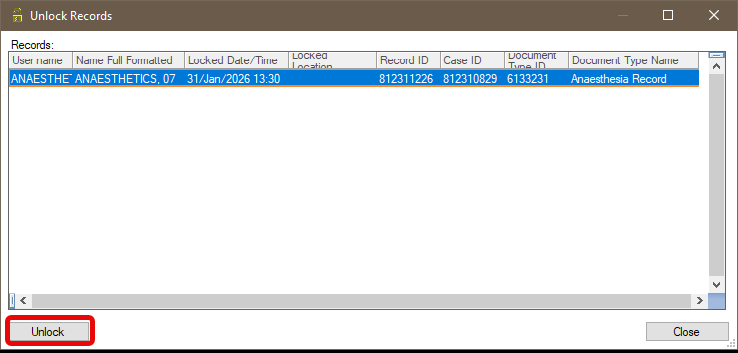
- Select the record you wish to unlock and click Unlock.
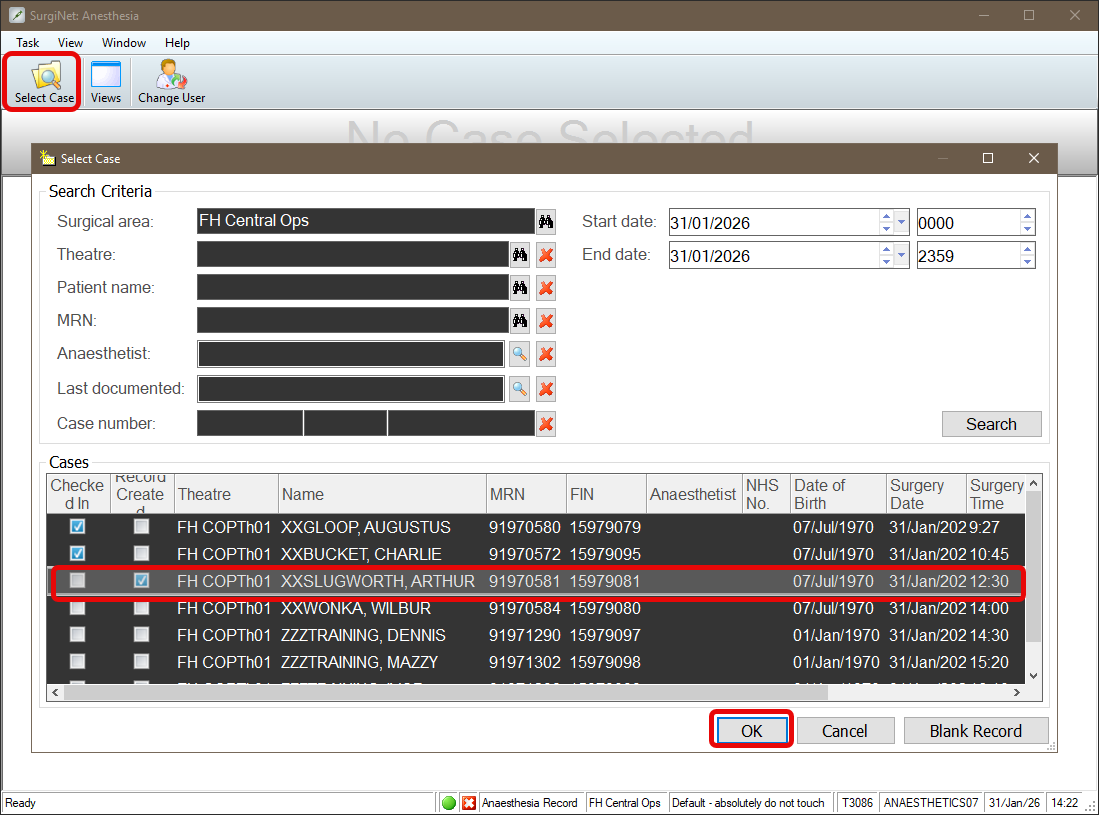
- Click Select Case, select record and click OK to open the record and resume charting.