Create a PDF copy of a word on the web document
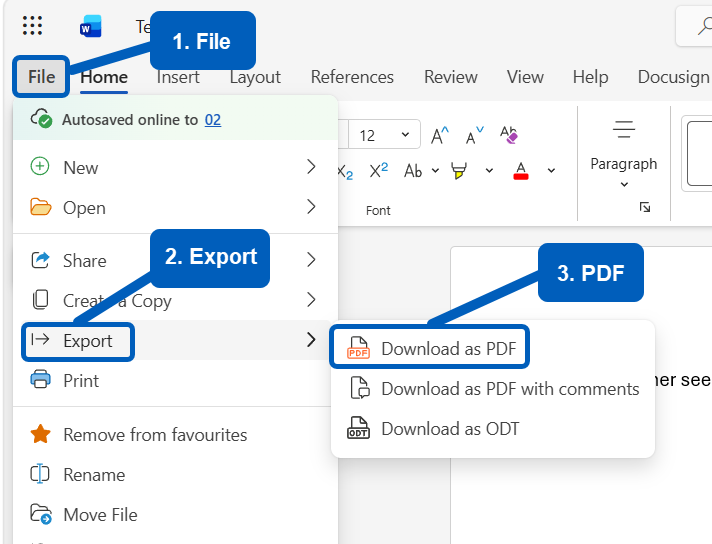
- Open the word on the web document, then select File
- Select Export
- Select Download as PDF
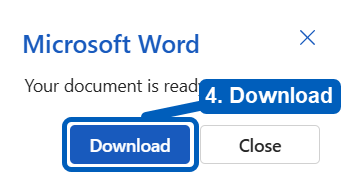
- From the opening window, select Download
- The PDF document will now be available in your OneDrive – Documents- Downloads folder on the web or OneDrive – Documents- Downloads folder in File Explorer if you’re signed into the OneDrive app on your PC