Making Windows Easier to See
Where to Find the Menus
This guide will help to make text within Windows easier to read using a variety of tools.
Before you can change your Accessibility Settings, you will need to find your Accessibility options.
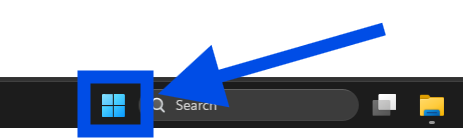
- Click on the windows button in the bottom of your toolbar
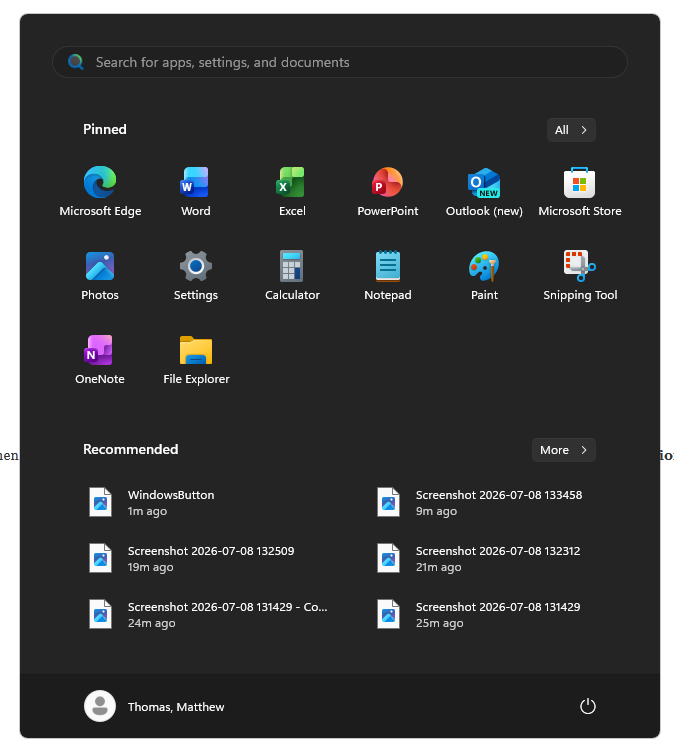
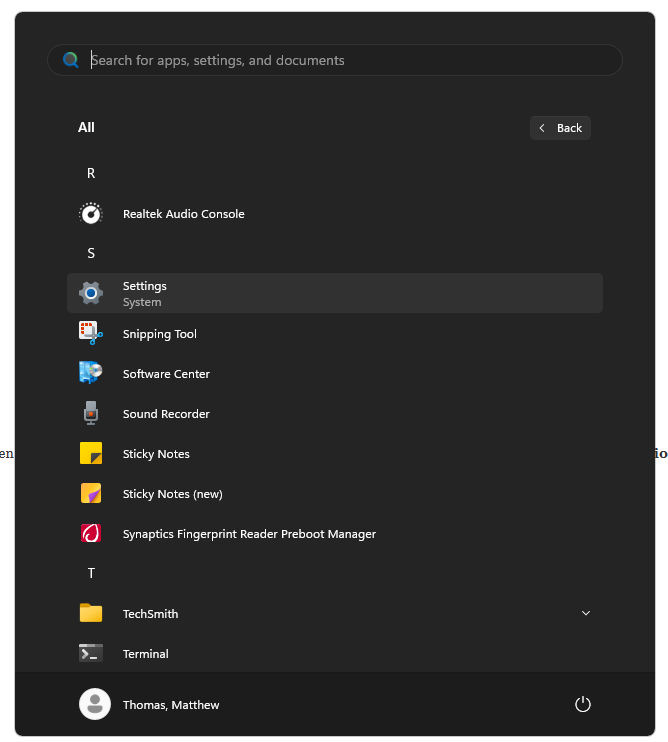
- Click “All” in the top right corner.
- Scroll down to Settings and click on it. This should open the Settings window.
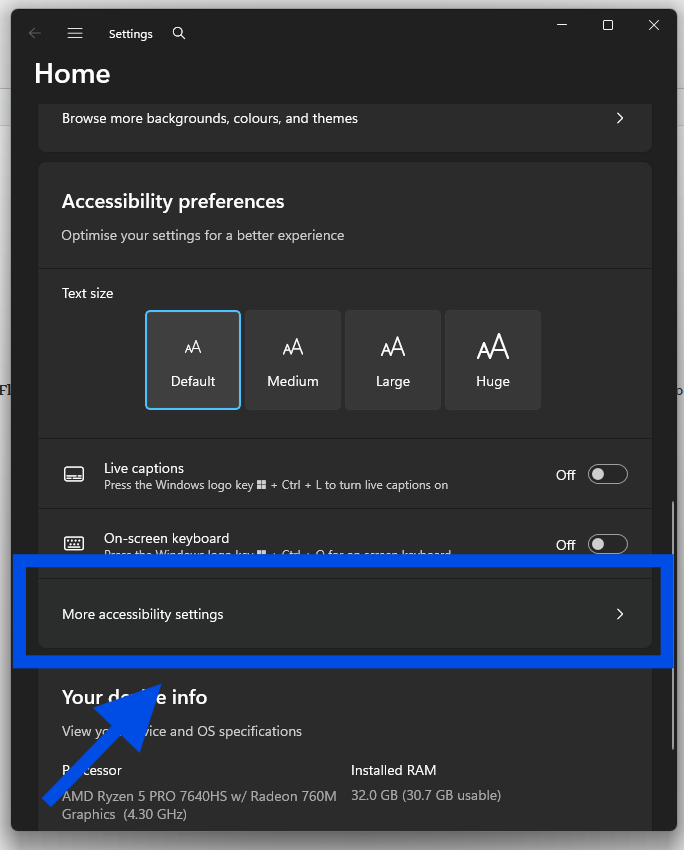
- Scroll down the Settings window until you find the “Accessibility Preferences” section
- Click on “More Accessibility Settings” to see all the different accessibility options.
Increasing Text Size
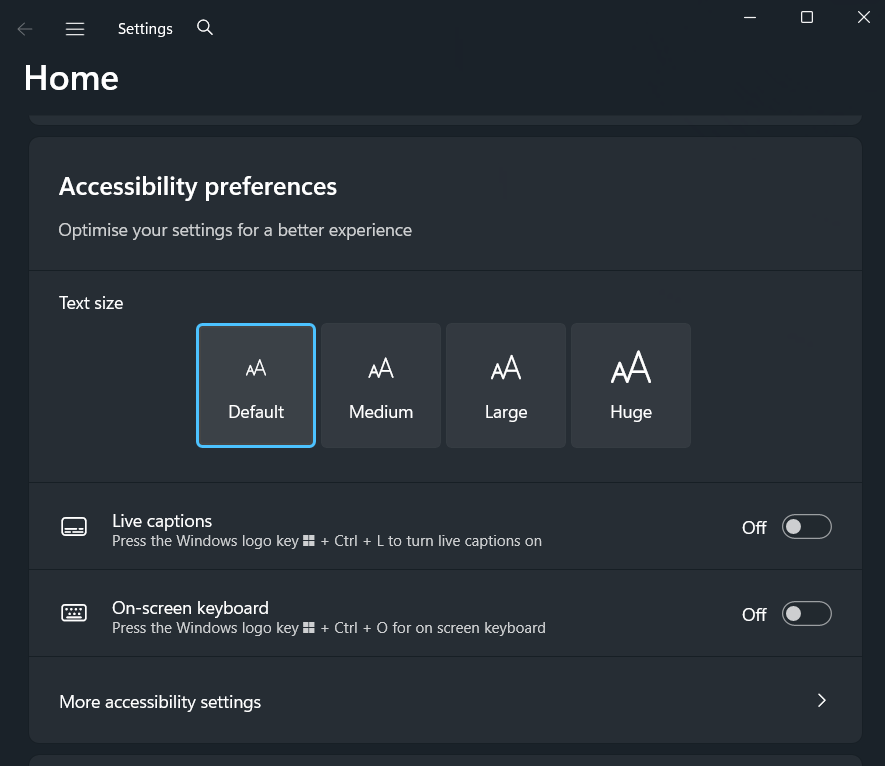
- To adjust the size of text, apps, and other items, select the Start button, then select Settings > Accessibility > Text size. Use the slider next to Text size to make just the text on your screen larger.
Increasing Scale Size
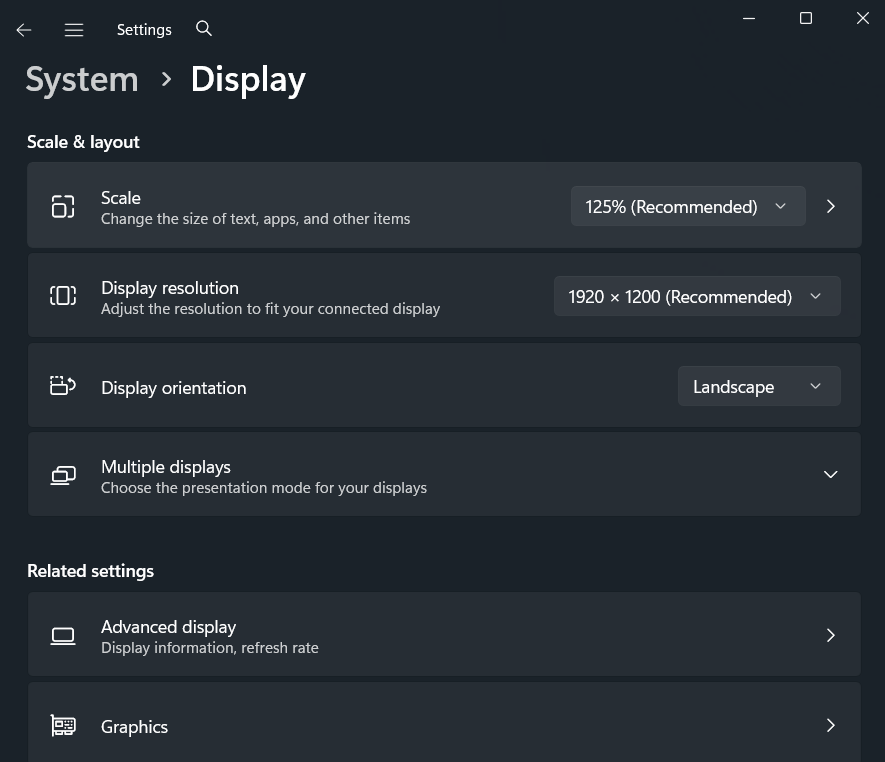
- To scale up everything on your screen, select the Start button, then select Settings > System > Display, and change the Scale drop-down menu, select the value to a larger percentage.
Contrast Themes
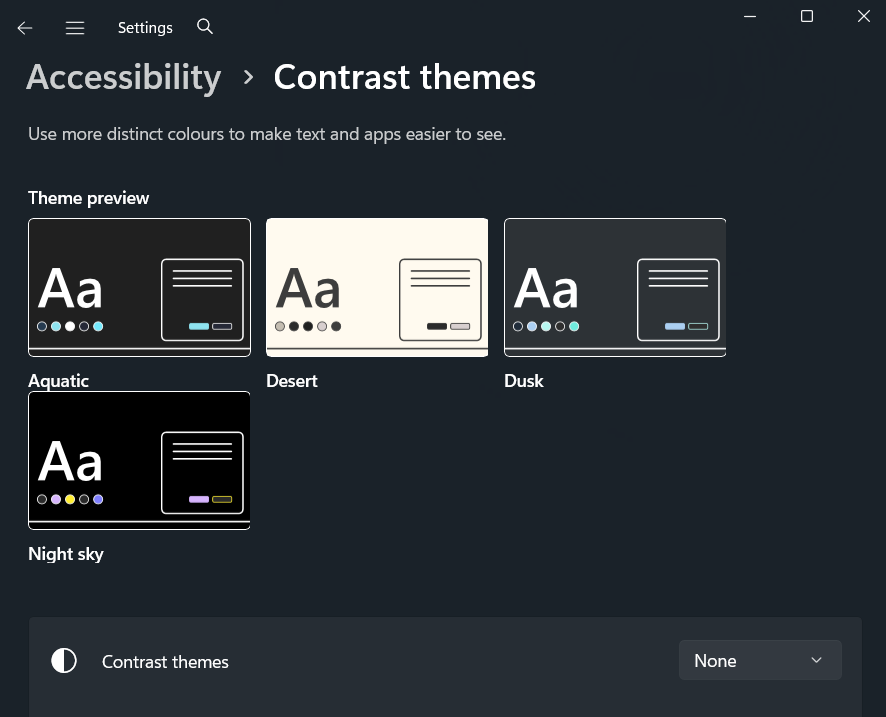
- If there’s not enough contrast between the elements on your screen, try using a high contrast theme. Select the Start button, then select Settings > Accessibility > Contrast themes, select one of the options in the drop-down menu next to Contrast themes, and select Apply. You can select between Aquatic, Desert, Dusk, and Night sky.