Adding My Groups – Your Favourites
Scenario
PM Office allows you to create your own Favourite items for frequently used features. These are saved in My Group, and multiple groups can be created.
Instructions
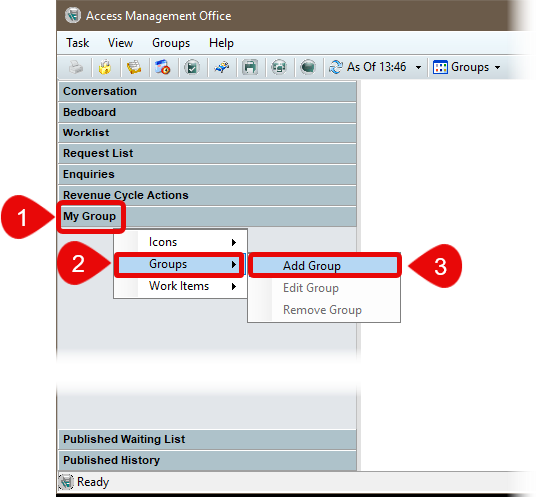
- Right click on My Group.
- Select Groups from the menu.
- Select Add Group from the menu.
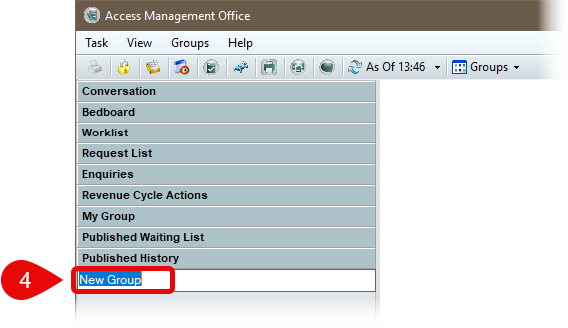
- Overtype to name your group.
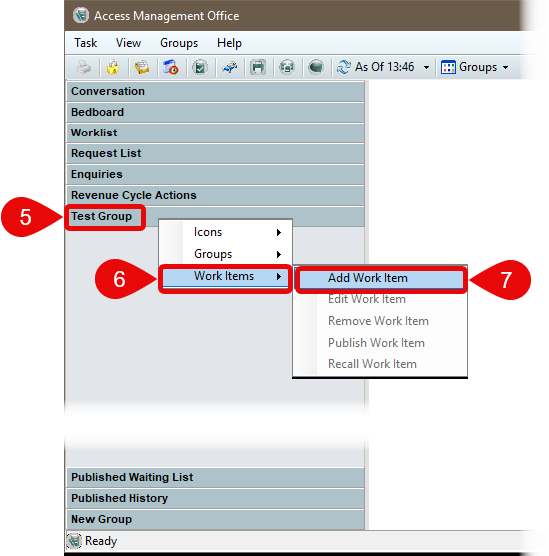
- Right click your newly named group.
- Select Work Items.
- Select Add Work Item. This will enable you to add items that you use most frequently such as Conversations, Bedboards, Waiting Lists etc. to the group.
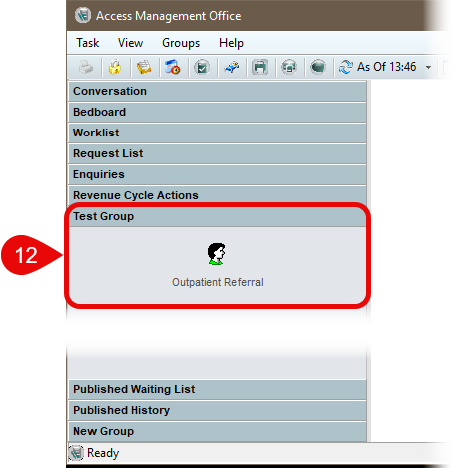
In this example I am adding the Outpatient Referral Conversation, other items from other menus can be added too.
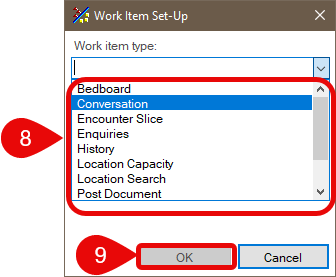
- Select the Work Item Type. In this example, I have chosen to use a Conversation.
- Click OK.
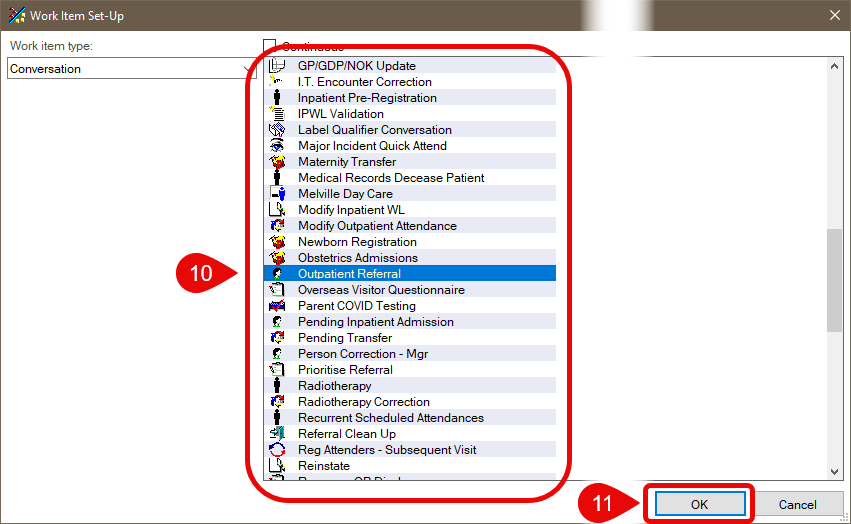
- The available options are displayed. Scroll and select the item you wish to add. In this example, I have chosen Conversation and Outpatient Referral.
- Click OK.
- The Item has been added to your Group.