Remove a Discharged Patient from the Waiting List
Scenario
Once patients have been marked as Did Not Attend, the patients need to be removed from the waiting list. Patients sit in a “deferred” status so they need to be removed to prevent the waiting list becoming longer and more complex to navigate than it needs to be!
Instructions
In this example I am using the Outpatient Waiting List by Person from the Published Waiting List tab in PM Office. It is possible to add this waiting list to your own Favourites “My Group”. See the
How To guide to start creating your own “My Groups”.
-
- Open PMOffice.
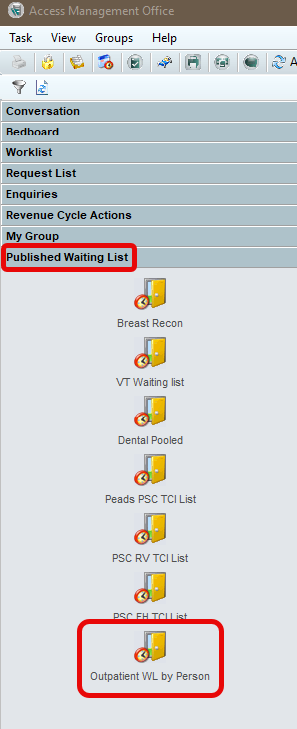
- From the Published Waiting List, select Outpatient Waiting List by Person, then search for the patient using their MRN, NHS number, or initials and date of birth.
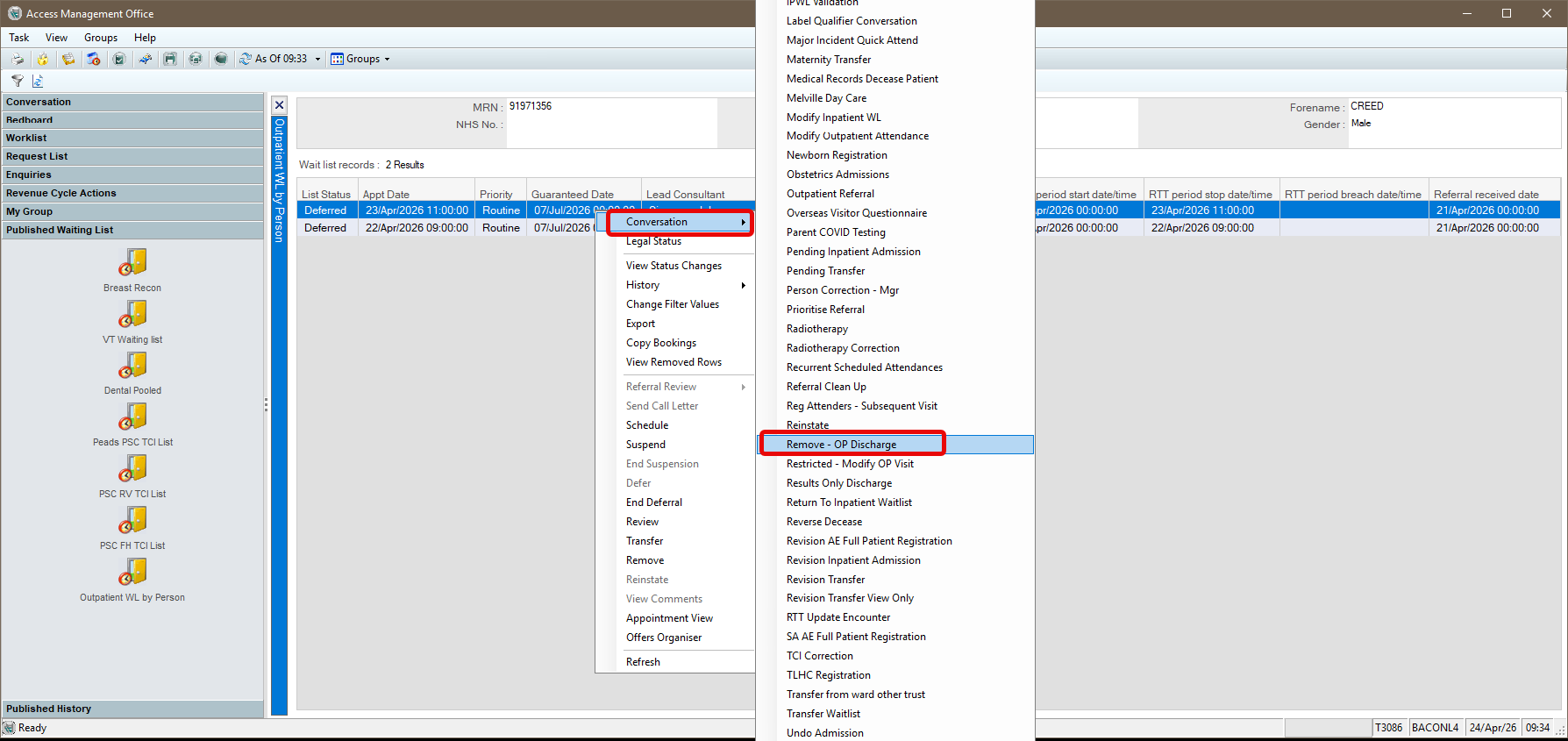
- When the waiting list is displayed, right‑click on the correct line of encounter information. From the menu, select Conversation, then choose Remove – OP Discharge from the sub‑menu (scroll if required).
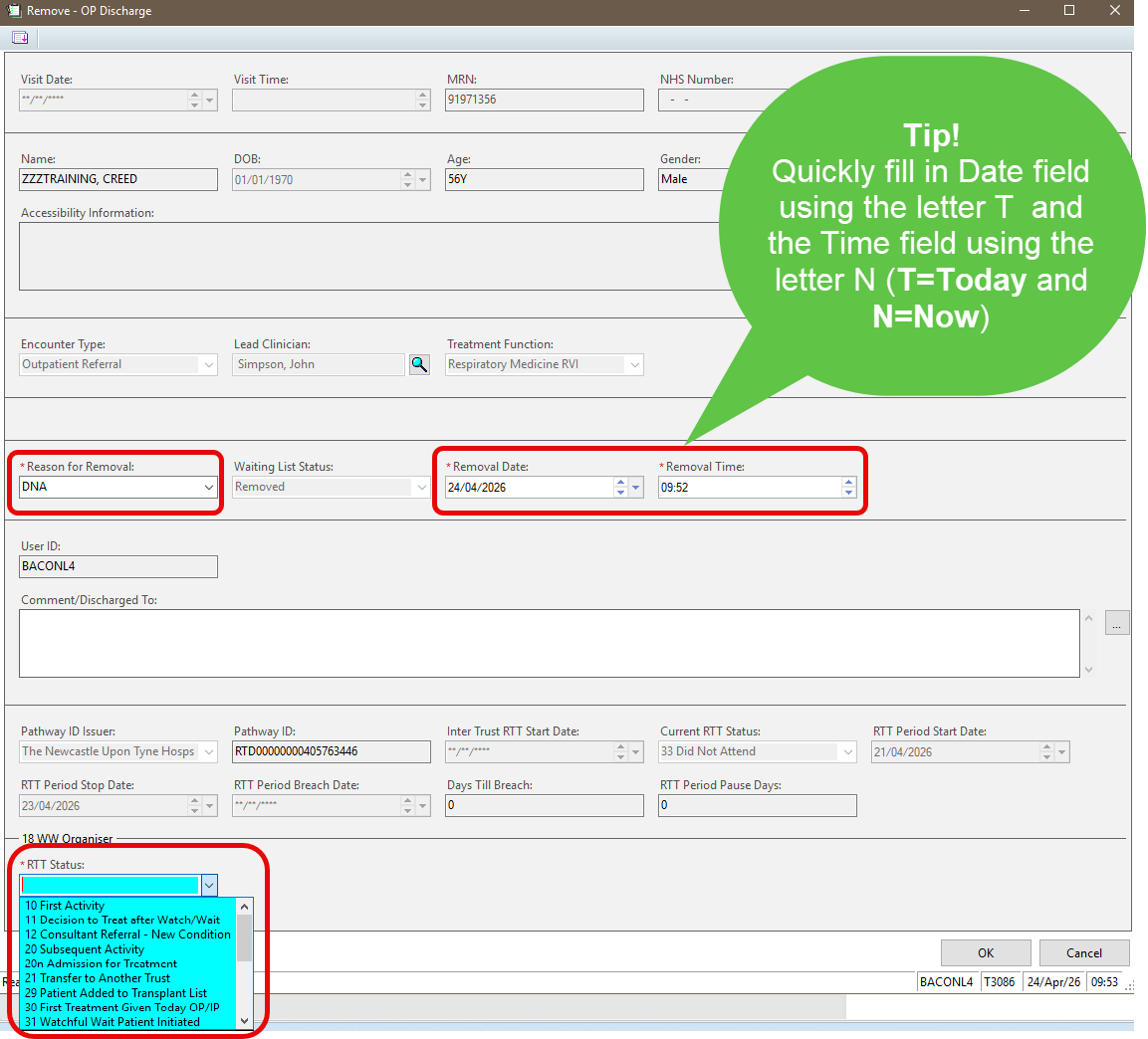
- Complete the mandatory fields:
- Reason for Removal – DNA
- Date and Time – Tip to use the current date and time, type the letter T into the date field and N into the time field
- RTT Status complete as appropriate
- OK
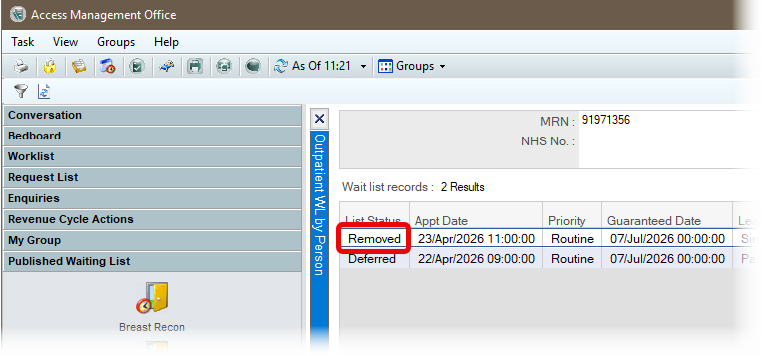
The Outpatient Waiting List by Person displays a List Status of Removed.