Share a file directly from your SharePoint page
You are looking to share a file with individual/s with an nhs.net address
Step-by-Step Instructions
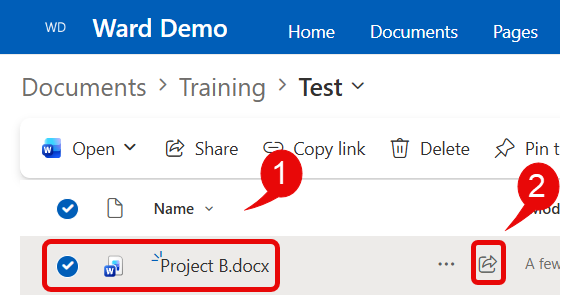
- Within your SharePoint document library, locate the file you are wanting to share
- Click on the Share icon
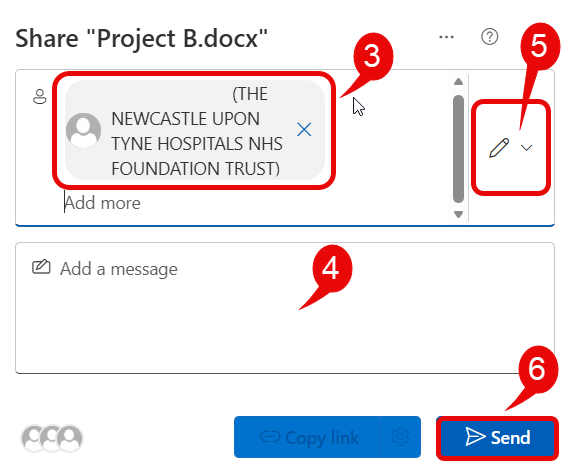
- From the opening share window, enter the name, email address or group name of the person/ persons you are wanting to share the file with – these need to be nhs.net addresses
- You can add a message
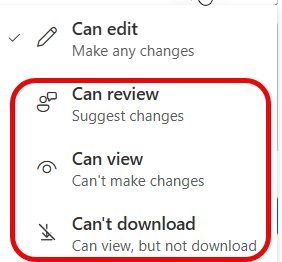
- By default the receiver will have editing permissions when you send the file, if you want to change the file permissions, click on either the pencil or the down arrow to change permissions
- Click Send
- The receiver will then receive an email notification with link included, if they have editing permissions and edit the document, the document will update your copy in SharePoint.