Ordering from the Workflow
Scenario
You are placing an order for a patient from a Workflow screen in the patient record
Instructions
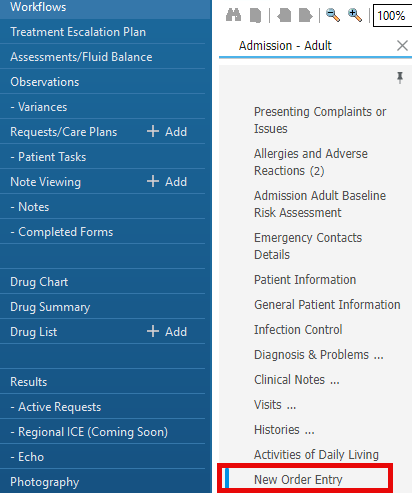
- Navigate to a Workflow tab, and select New Order Entry:
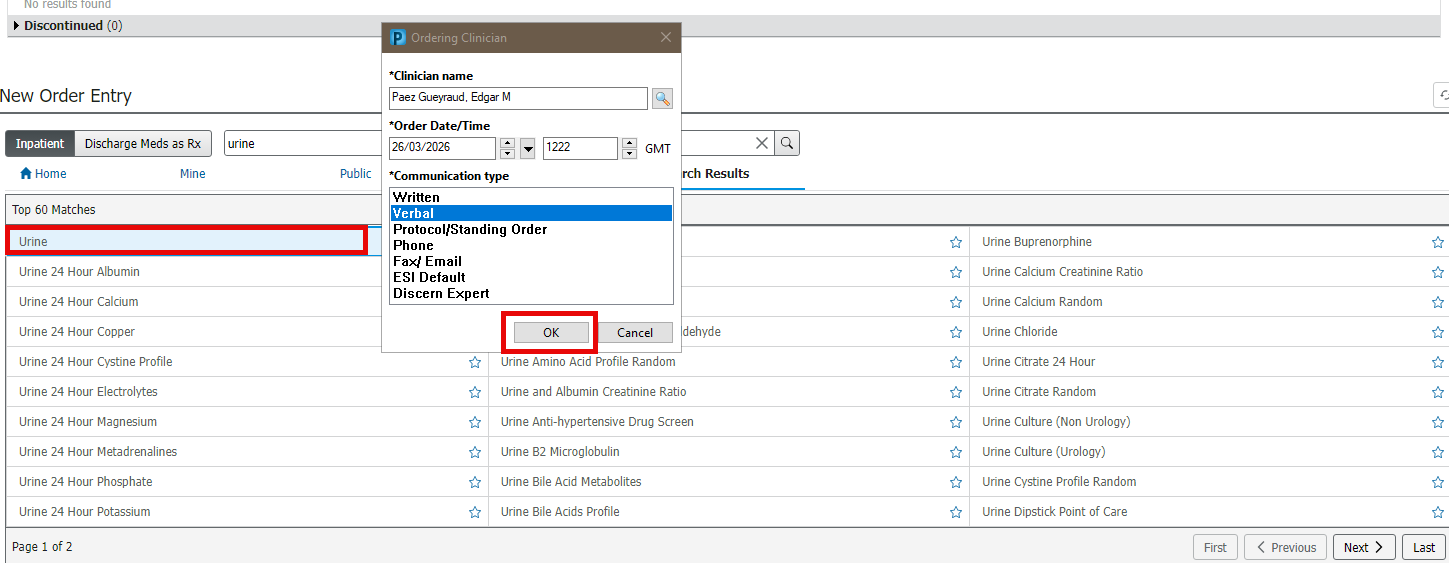
- Search for and select the relevant order. You can do this either through the folders (displayed automatically), or by typing in the search bar.
- Fill in the relevant details in the Ordering Clinician field:
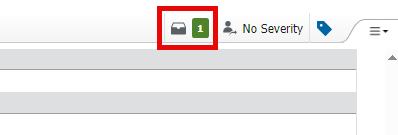
- Navigate to the basket at the top of the screen, and click on it:
- Click Modify Details.
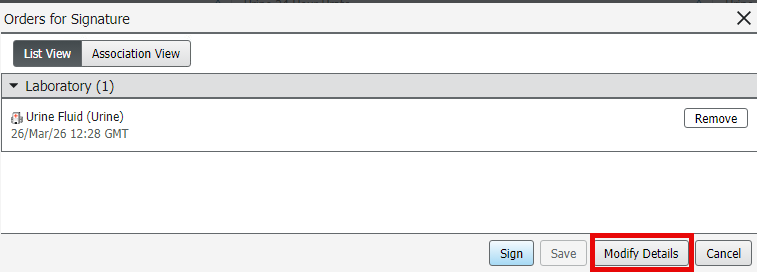
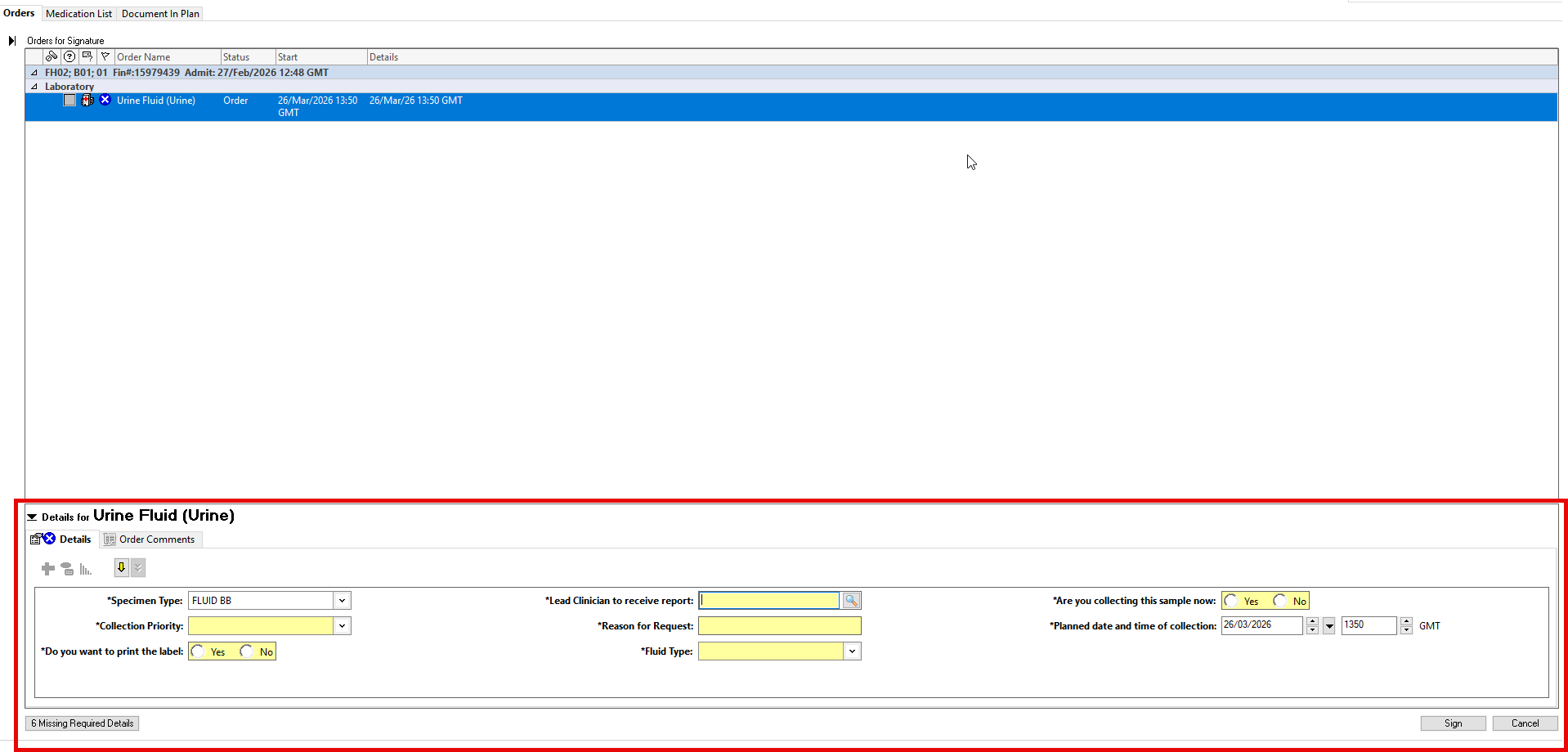
- Complete all relevant fields in the Orders for Signature screen, then click Sign:
- Refresh the page.
Ensure all mandatory fields, initially shown in yellow, are completed.
