More results...
More results...
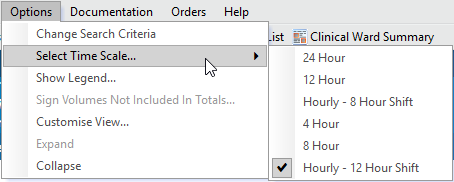
When you open the Intake and Output section of Assessments/Fluid Balance for the first time you will be prompted to select a time scale. This sets the frequency of columns within the Fluid Balance chart. The recommended tine scale is Hourly – 12 Hour Shift. This guide shows how to change the time scale from the menu.