More results...
More results...
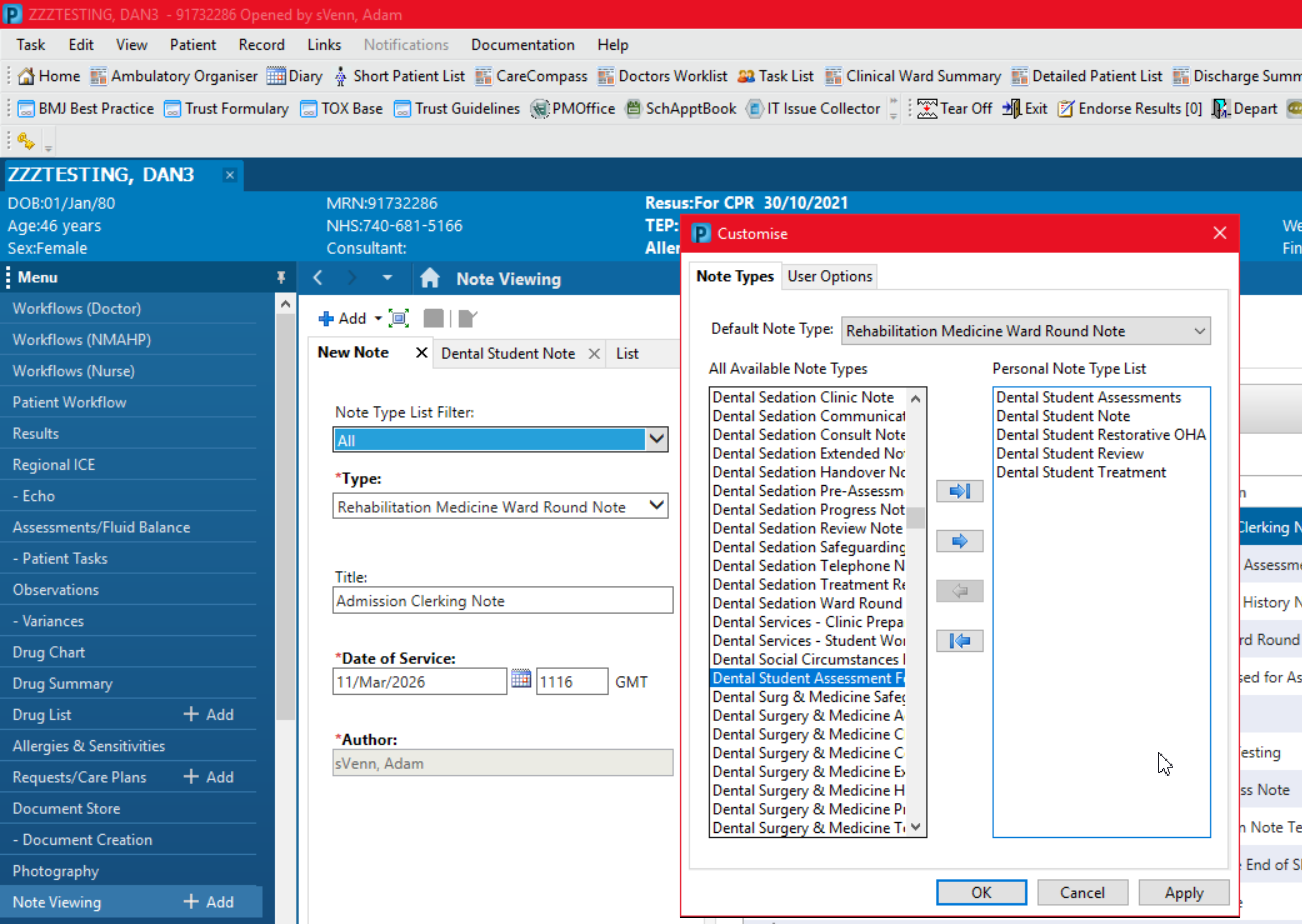
This guide shows the user how to change the note types for Dental Students. There are different notes for Dental Students to select. It is your responsibility to select the right note type when saving your notes.
Information
This will save time when selecting a note type when the note is generated from the Select Other Note option on the workflow or by using the Note Viewing +Add button
Select the following Note Types:
Dental Student Assessment
Dental Student Note
Dental Restorative OHA
Dental Student Review
Dental Student Treatment