Administering medication in clinic
How to document the administration of scheduled, un-scheduled or PRN medications in the Patient Record.
- Open the Patient record from Ambulatory Organiser.
- Click on Drug Chart in the left hand menu.
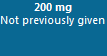
- To record administration, click on the dose box. This states the dose to be given in a date and time column. It is essential to read the full dose instructions.
- The drug administration pane will open and will pre-populate with the current prescribed dose.
- If you are retrospectively documenting the administration of a medication that was given earlier, change the. time in the Performed Date/Time field.

- If the Medication is a controlled drug a Witness needs to sign. Click the magnifying glass next to the witness box to search for the witness name.
- Sign the documentation using the green tick in the top left hand corner of the window
 . If the medication has been witnessed the witness will now have to enter their password.
- The dose is recorded on the drug chart. Click Refresh in the top right hand corner of the screen to complete recording.
Updated: 15 May 2026