How to Create a Blank Record
Introduction
A “blank record” is used in emergencies when a patient isn’t yet in the system. It lets staff start documenting immediately, even before the patient is formally registered or scheduled.
It’s important to note that a blank record isn’t tied to a patient at first. Patient details, medications, and allergies won’t appear automatically, so extra caution is needed.
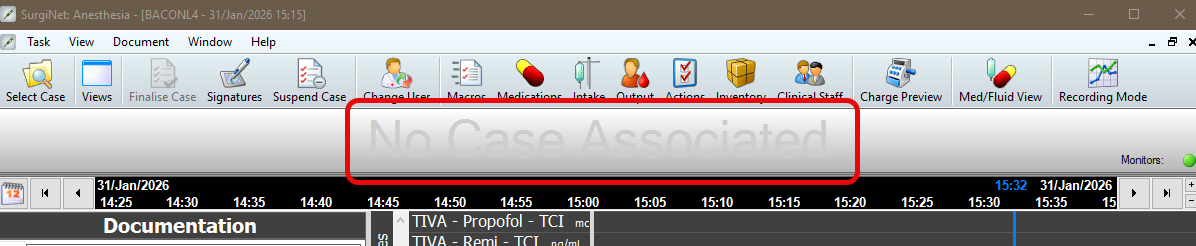
After the patient is registered and scheduled, ensure the record is associated with the correct case. The case cannot be finalised until this step is completed.
Instruction
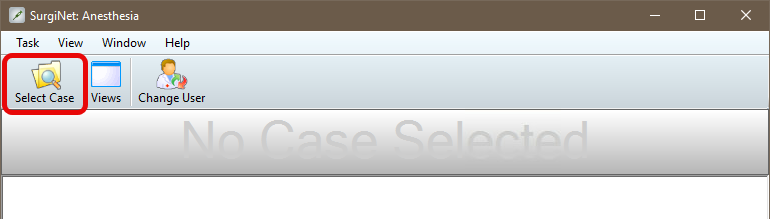
- Click Select Case and a window opens.
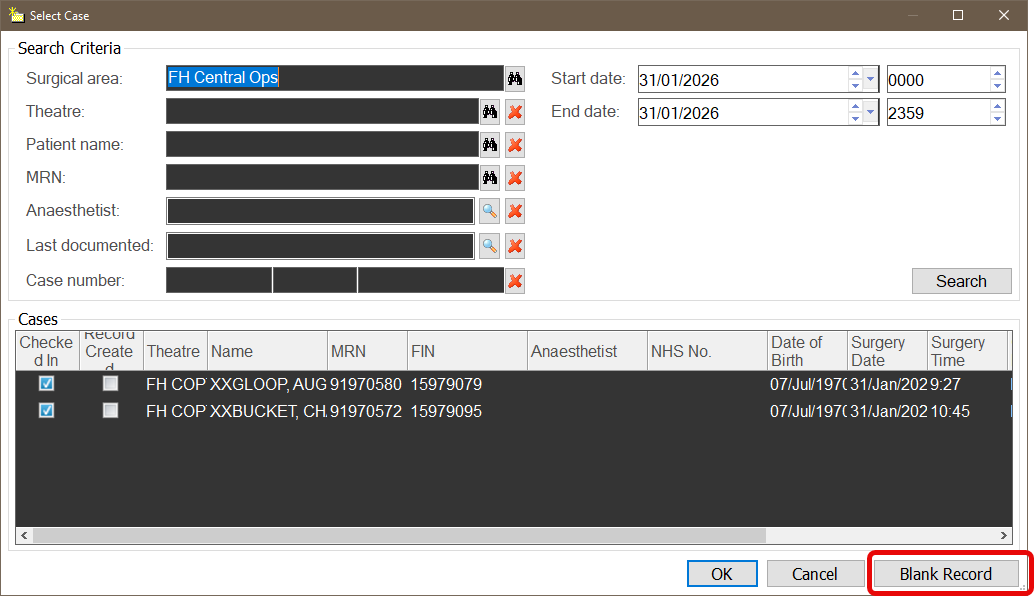
- Click Blank Record.
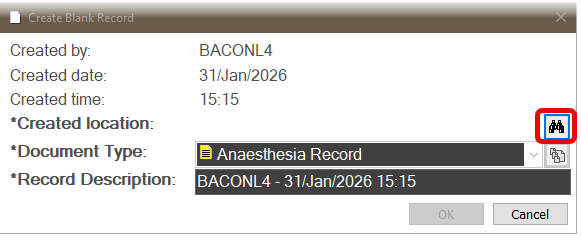
- Click binocular icon to set theatre location.
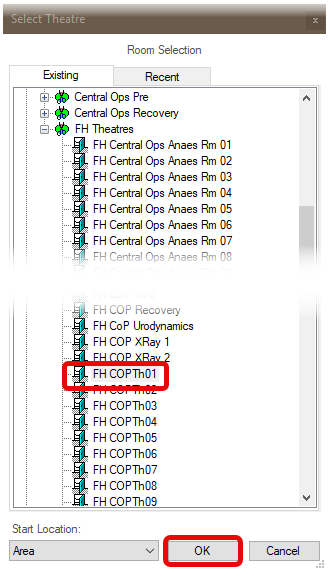
- Select location and click OK.
Note: The window that opens has two tabs: Existing and Recent. Existing contains a list of all available locations in the Trust whilst Recent remembers just your previous choices.
- The Create Blank Record window now populates with Created Location. Click OK..
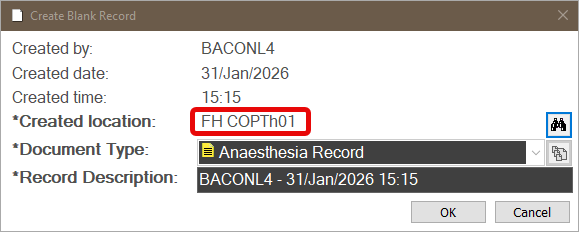
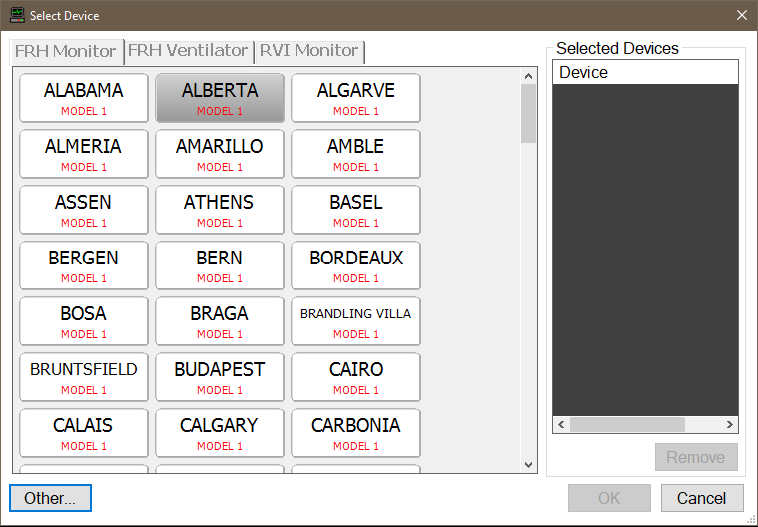
- The system will prompt you to select devices.
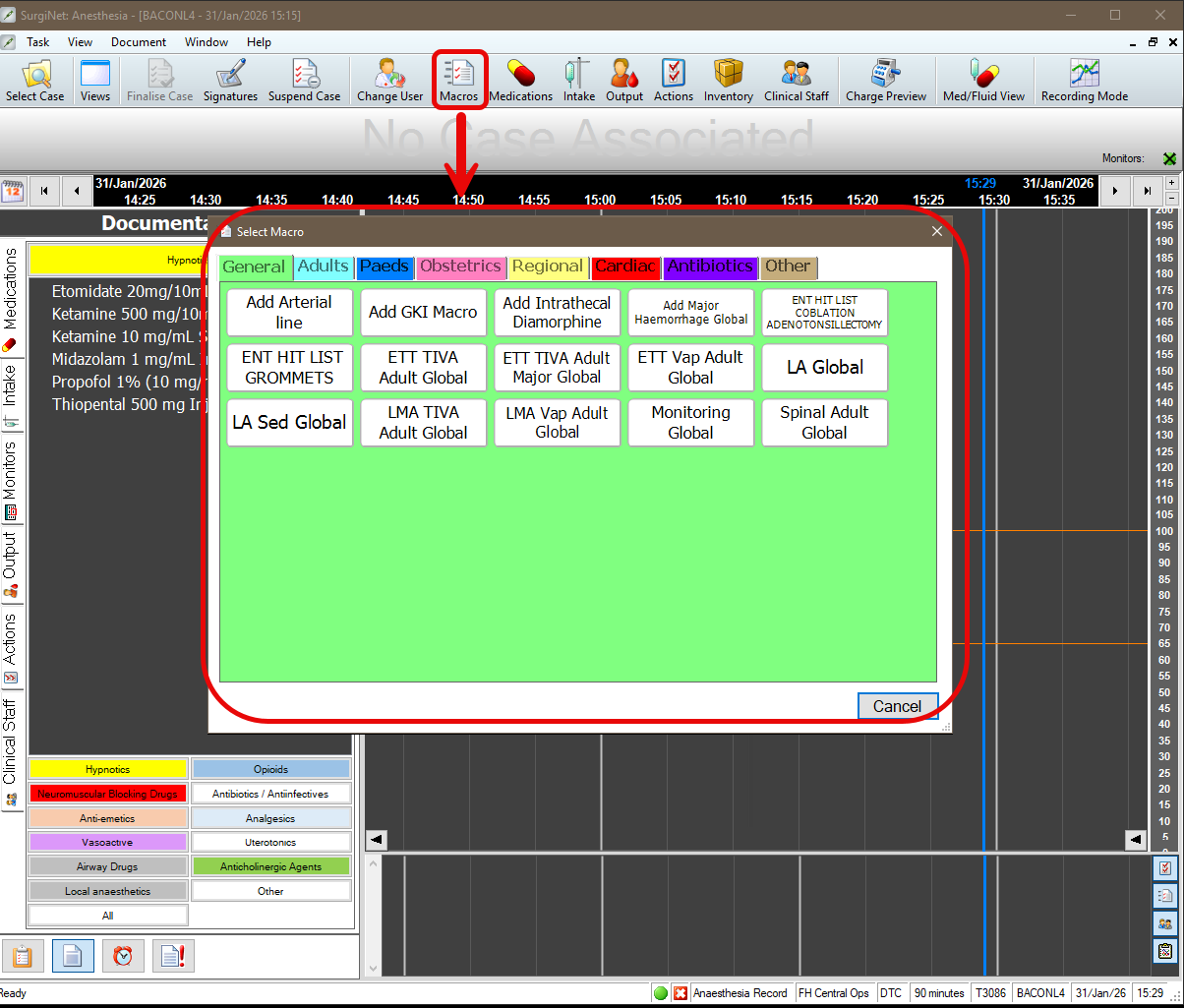
- Select an appropriate Macro to allow monitoring to start documentation in the record.
- The record indicates No Case Associated.
- Once the patient has been scheduled, please view this guide to associate their case to this record.
