UTC Obs patient to be admitted e.g.SDEC, SAU
Scenario
When a patient has been streamed to the UTC Obs location and requires a triage with a set of obs to be completed prior to being transferred into the hospital. e.g. SDEC, SAU
Intrstructions
You are in FirstNet and are able to see the UTC Obs location by either setting the filter to ‘UTC Obs’ or ‘All UTC Beds’
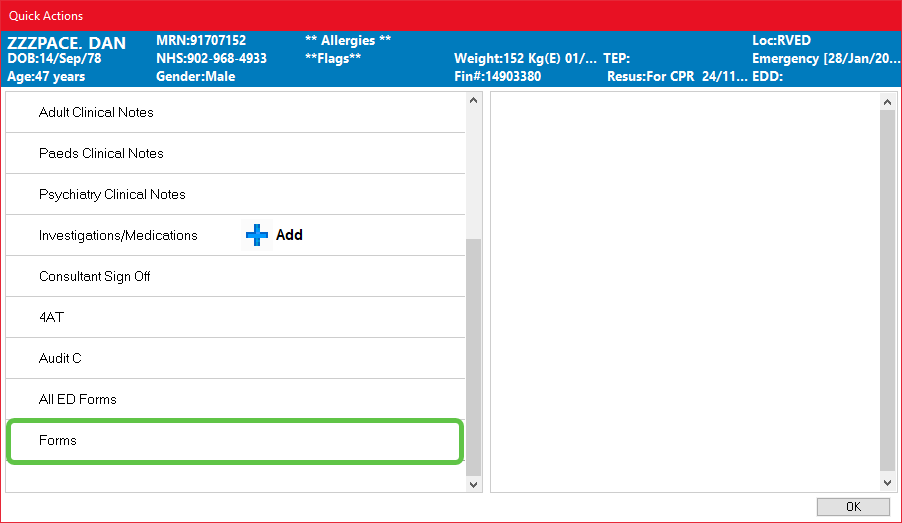
- Double click on the patients’ name which opens ‘Quick Actions’
- Select ‘Forms’
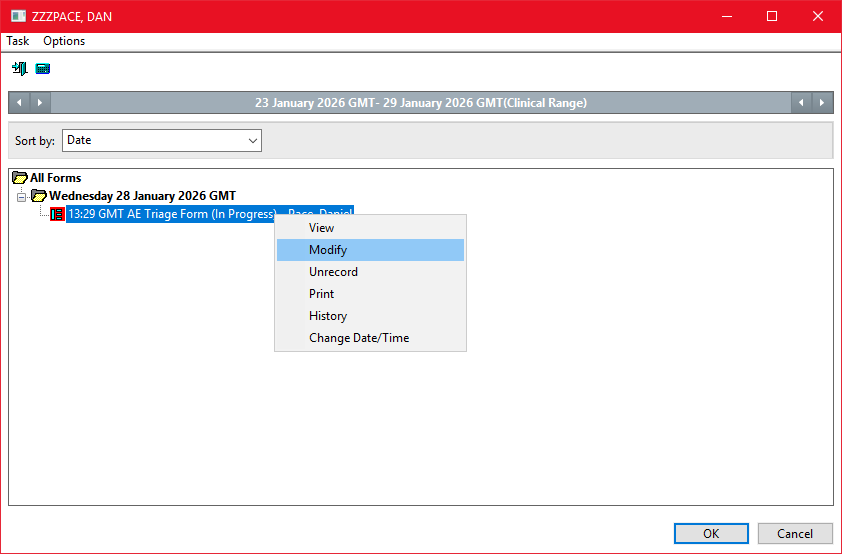
- Right click in the saved(In Progress) AE Triage Form and select Modify
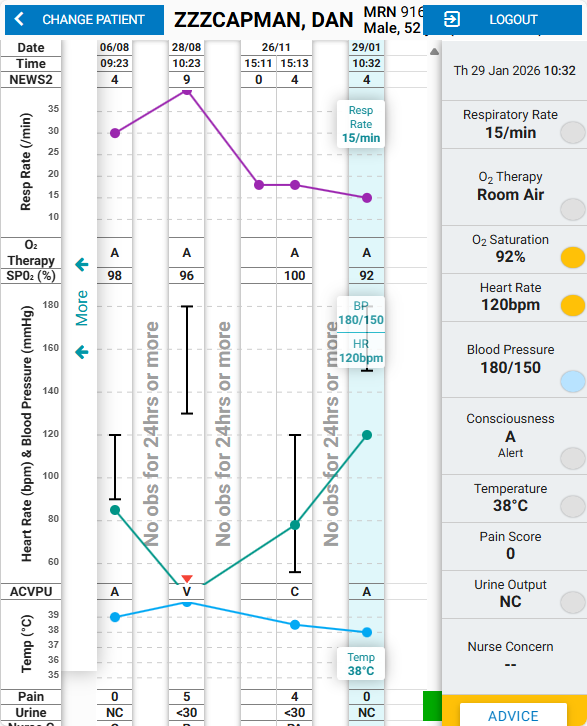
- Carry Out eObs on the tablet
- Complete AE Triage Form as appropriate, selecting the appropriate destination and sign the form
- Click on the bed icon to place the ‘Transfer Patient’ order
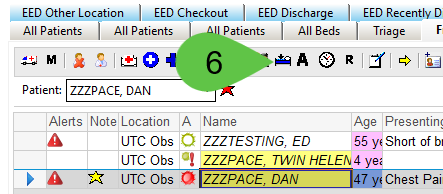
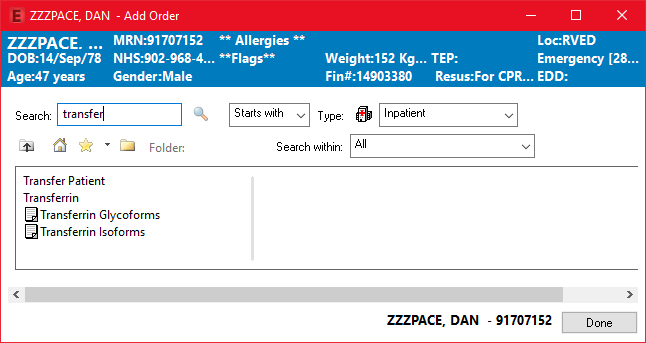
- Find and place the ‘Transfer Patient’ order
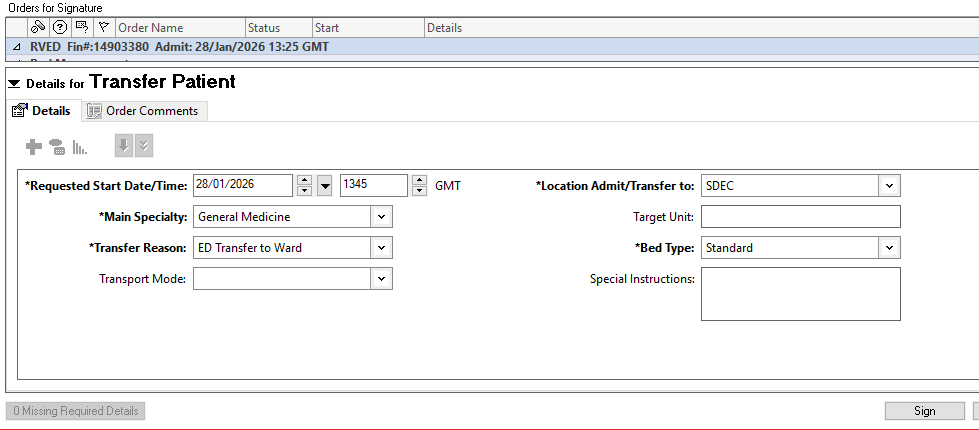
- Sign the order after completing the appropriate fields, note if the location is not available select other and free text the location into the ‘Target Unit’ Field
- Contact FOH Admin to complete DTA (add the A icon)
- Once the DTA has been completed(A icon appears on tracking board), depart the patient

Do not depart the patient before the DTA (A icon) has been completed. Doing so will mean the FOH Admin team cannot complete the DTA
