Speciality Review in ED
How to complete a Speciality Review in ED
When requested to completed a specialist review in either ED or UTC the specialist will need to document in the “Specialist Review in ED” form. Depending on the software used, this is accessed via a different route.
Instructions – FirstNet
- Change the filter on the tracking board to ‘UTC Speciality’
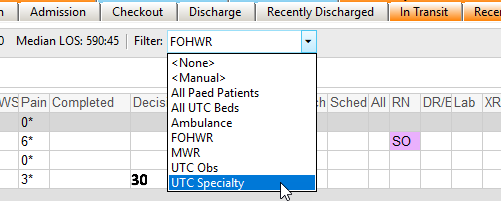
- Double click on the patients name on the tracking board
- Select ‘All ED Forms’ from quick action
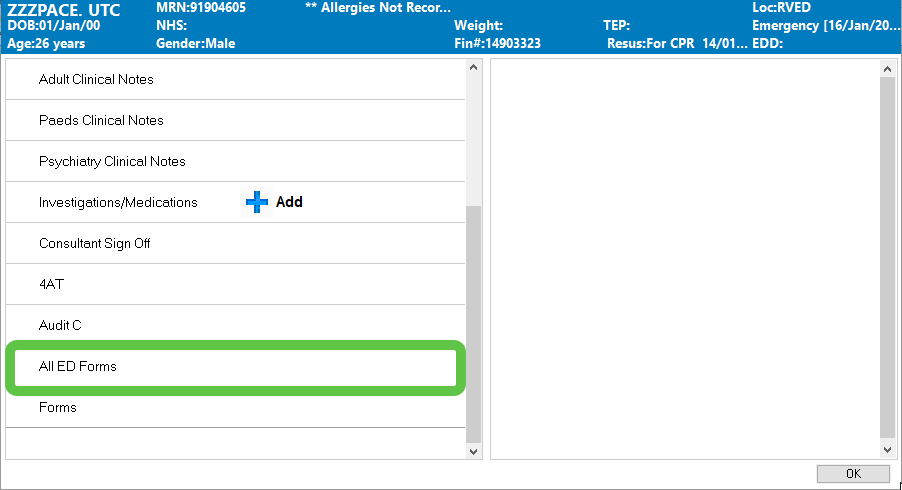
- Select ‘Speciality Note in ED’
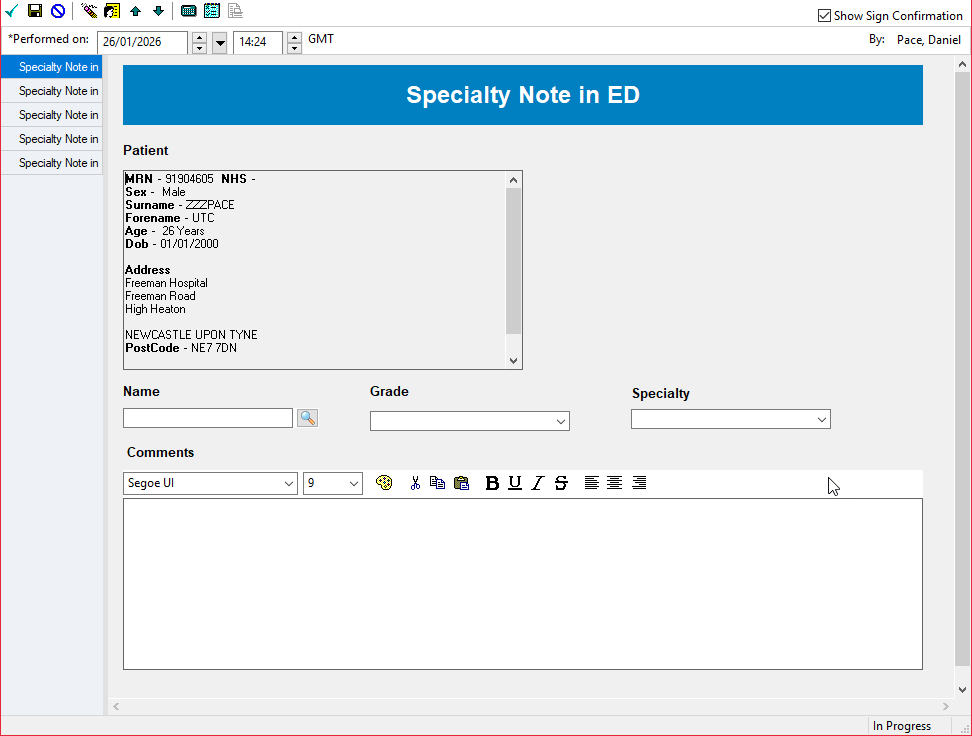
- Click ‘Record’
- Complete and Sign the form
To view what has been documented in SystmOne:
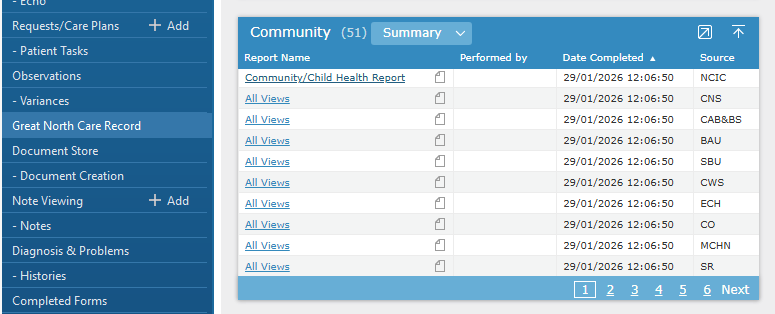
- Right click on the patient name and select ‘Open Patient Record > Great North Care Record’
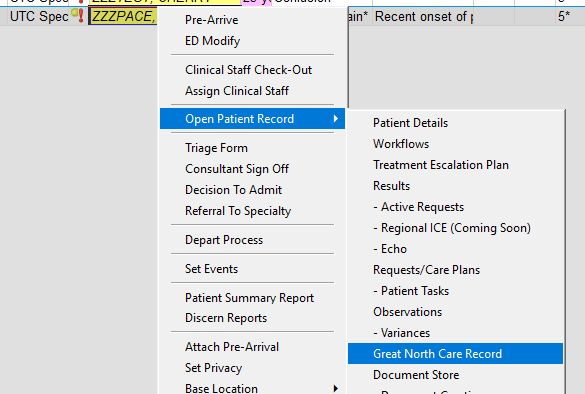
- Scroll down to the Community component
Instructions – PowerChart
Find and open the patient record in PowerChart
From within the patient record:
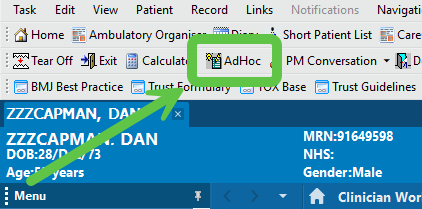
- Open ‘Ad Hoc’ forms
- Select ‘Speciality Note in ED’
- Click ‘Record’
- Complete and Sign the form
To view what has been documented in SystmOne:
- Select the ‘Great North Care Record’ from the left hand menu
- Scroll down to the Community component
