
More results...
More results...
Find the sheet that you were given on your induction day and find the section that says “Computer Login”
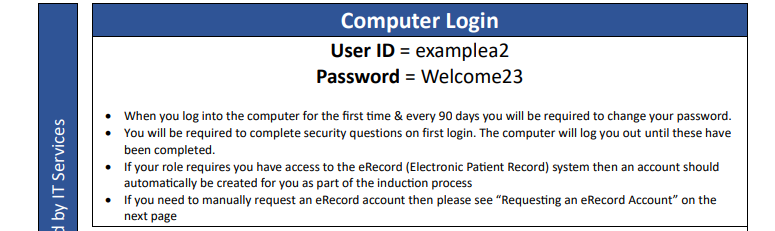
This will contain your “User ID” and a one time password for your first login. Your user ID will normally be your surname, the first letter of your forename and a number to distinguish you from other people in the NHS with the same initials and surname.
Enter your User ID and press the “enter” key on the keyboard.
Enter your one time password (from your sheet). You will now be asked to set a permanent password. All passwords must fit the following rules.
They must be 10 characters or more in length without spaces;
They must not match the previous 5 passwords used;
Must not contain the users First Name or Last Name within the password;
Not detected as a common password, for example Password123, Winter2018;
Not detected as a breached password (a password used for an account that has previously been compromised or identified as having been breached according to an internet-based breach database).