At some point you may need to send a letter out to a patient, you can create an envelope template document which prints the address details on to the envelope
Step-by-Step Instructions
From your OneDrive homepage, click on the nine-dot button in the top left-hand side of the screen
Select Word
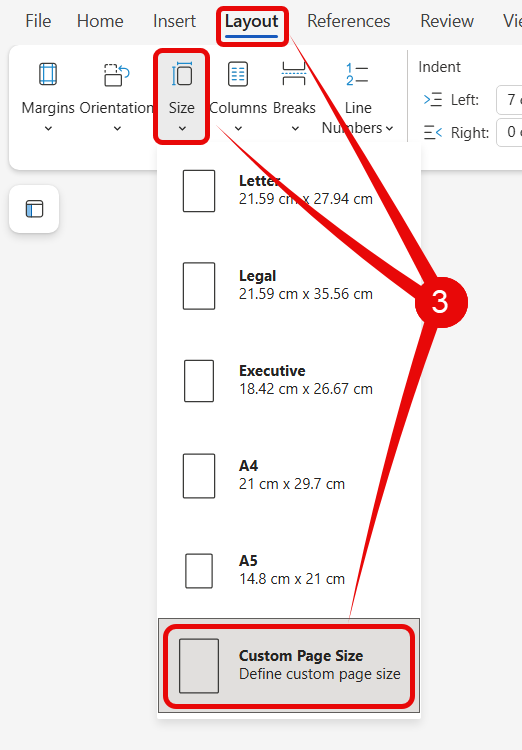
From the opening Word blank page, select Layout, then Size, and then Custom Page Size
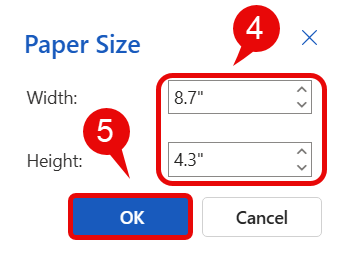
In the Paper size window, set:
Width to 8.7”
Height to 4.3”
Click OK
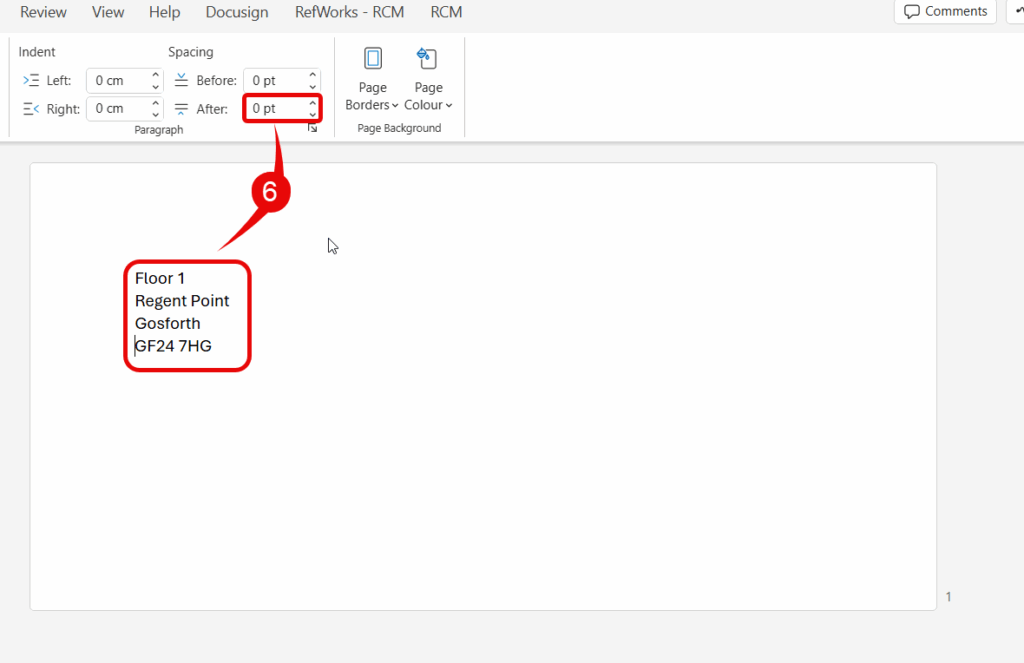
Type in address, change Spacing After to 0pt
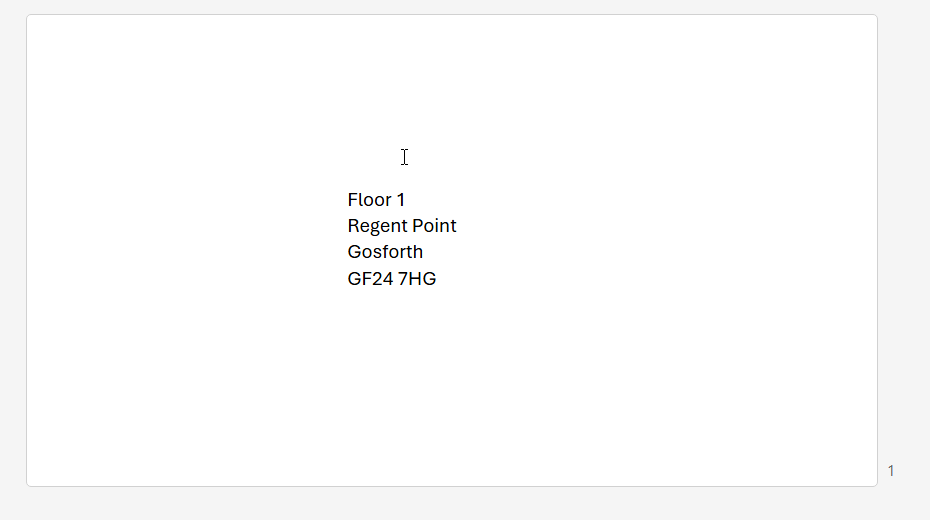
Move the address details to location needed
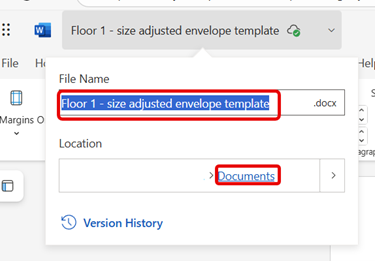
Click file name and change file name – this is now your template
Close the template document which will now be saved in your OneDrive documents
Adding new address details
Open your template document
Type new address details
Close document – address details automatically save
Printing the envelope
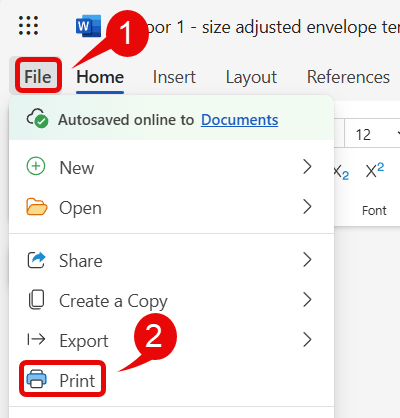
With template document open, click File
Click Print
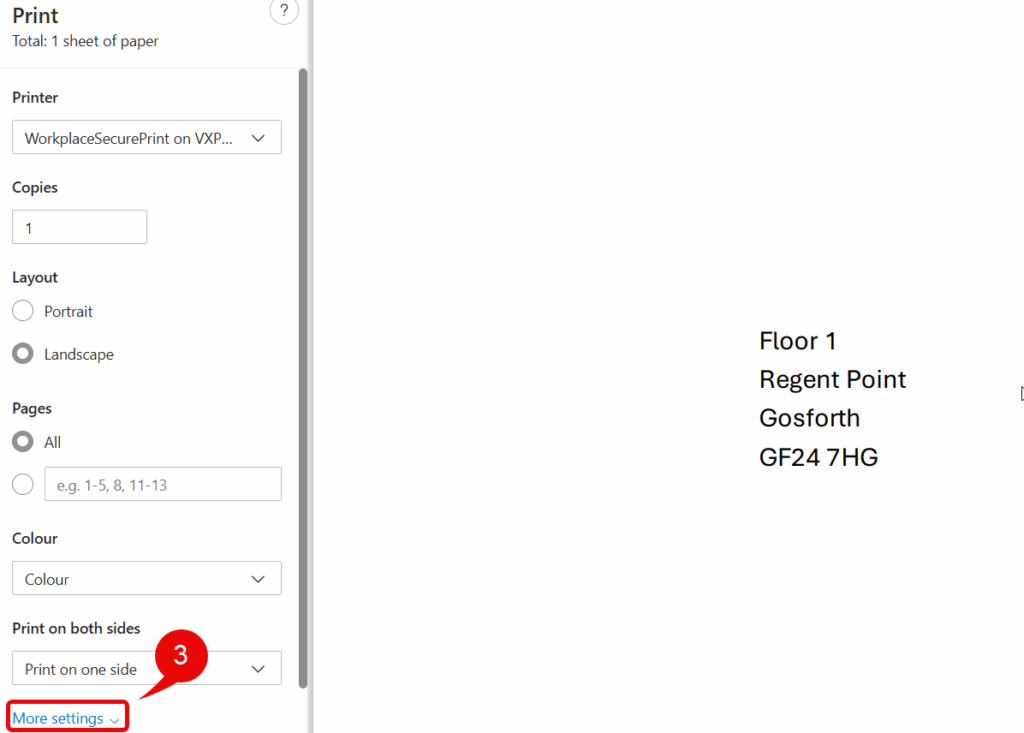
From the opening Print window click More Settings
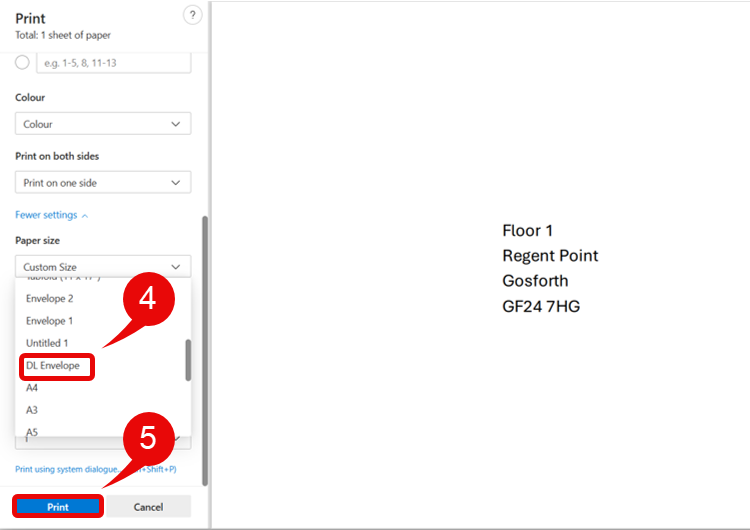
From the Paper size drop-down, select DL Envelope
Ensure envelope is inserted in the printer, then select Print –