3. Continuous/ Titratable Infusions – Replacement Bag
How to document changing a bag for a Continuous/ Titratable Drug Infusion.
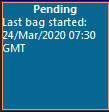
- Click onto the blue square for the correct IV prescription:
- Change the From and To times to match the time period being documented.
- Enter the volume for the medication that has been dispensed from the previous bag in the Infuse volume (mL) field and click the Apply button:

- Select Begin Bag/syringe and Bag No 2 will be displayed in the *Bag No: field:

- Enter the name of the Witness.
- Change the Site if required by selecting from the drop down Site field.
- Optional: click the comment button and complete the batch and device number.
- Click Apply:

- The witness can now enter their password and click OK.
- New bag details will appear showing the date and time:
- Click Sign (green tick):

- The completed details will appear on the Drug Chart.
If the site is changed then the details will also have to be documented in the appropriate Lines section of Assessments/ Fluid Balance
Updated: 3 June 2026