How to Insert Auto Text into your Note
Information
Follow these steps to insert you Auto Text into a note.
Instructions
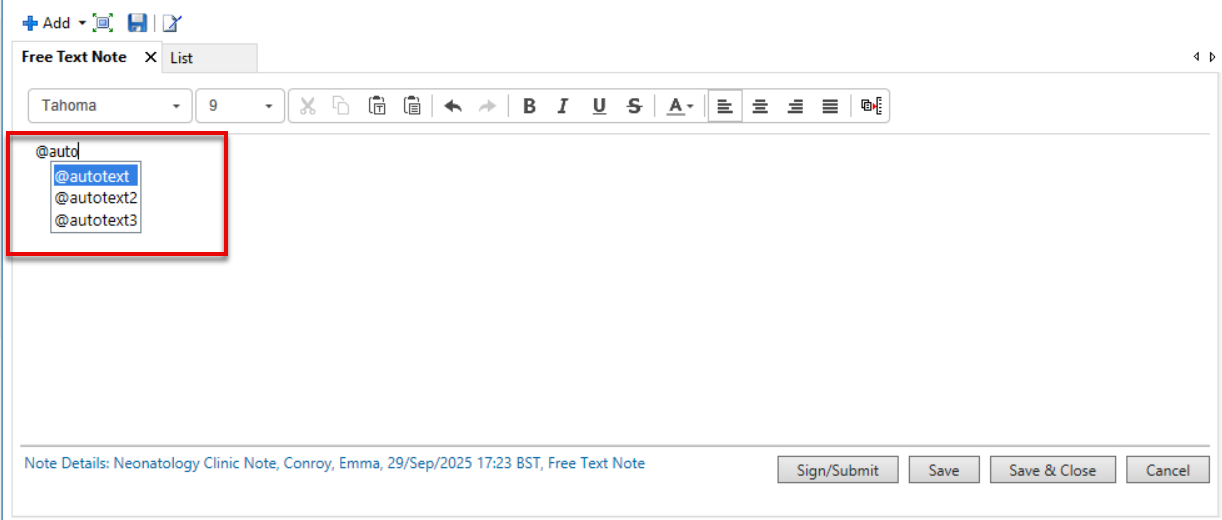
- In the text field type the @ symbol (or the symbol you used as a trigger).
- Carry on typing the Abbreviation you used for your auto text.
- Matching triggers will display. Use the arrows to move between them and then hit enter.
- Your auto-text will be inserted.
- If you have included drop-down lists, remember to select an option(s) before signing your note.