More results...
More results...

Digital Skills are defined as a range of abilities to use digital devices, communication applications, and networks to access and manage information. On this page you will find support guides, top tips, and a Contact us button in the top-right hand of the page if you need training or further support .
Moving to OneDrive and SharePoint – The trust has introduced Microsoft OneDrive and SharePoint as the new way for staff to store, access and share work files. The files will be stored in the cloud. Click on the navigation bar at the top of the page to access in-depth guides, top tips, video’s, and link to book one of our advertised training sessions. Below are some did you knows, frequently asked questions, and support guides/ videos on how to do specific tasks in 365 web version.
If you’re looking for a little help or wanting to request some bespoke OneDrive/ SharePoint training, please click on the Contact us tab in the navigation bar above.

Note- If you have access to the 365 desktop licence, you will also see Recent items when selecting the Attach file functionality, this includes recent SharePoint documents you’ve been using, however you will only be able to select one to attach at a time.
Adding leading zeros so all numbers have the same digits such as:
01
02
03
…
09
10
11
or for bigger numbers
001
002
003
…
099
100
101
OneDrive is a cloud based storage that allows you to securely store your personal data.
SharePoint is a web based platform that allows you to manage content, collaborate and, share information securely.
The day your shared drive has migrated successfully to SharePoint you will receive an email from ‘Hannah Watt’ confirming successful migration, instructions and a link to your new SharePoint page. Click on the link to access your SharePoint page
Click on the My files – OneDrive icon on your desktop
or
If you are signed into the OneDrive app – click on File Explorer, then click on the right arrow to the left of the OneDrive icon and your name
Ring Service Desk (21000) to request permission access or removal – it’s good practice to regularly review access permissions
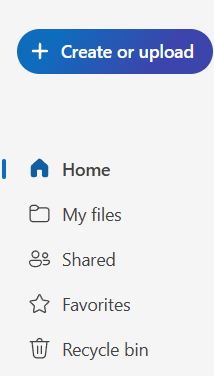


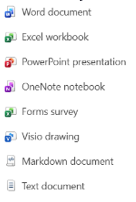
Your shared drive has been migrated across to SharePoint and you now now need to access it via the new way – see ‘How do I access my SharePoint page for the first time?’
A new version of the document is created when it is closed, provided changes were made.
Click on the My files – OneDrive icon on your desktop then select Documents – Downloads to see the form
Or
If you’re signed into the OneDrive app, open File Explorer, select your OneDrive app – Documents and then the Downloads folder
You need to call Service Desk (21000) to raise a ticket for the restricted folder to be created
Select a task below to see how it’s done in 365 on the web
| Digital quick tips! |
| Looking to increase your IT skills – see current course availability below |