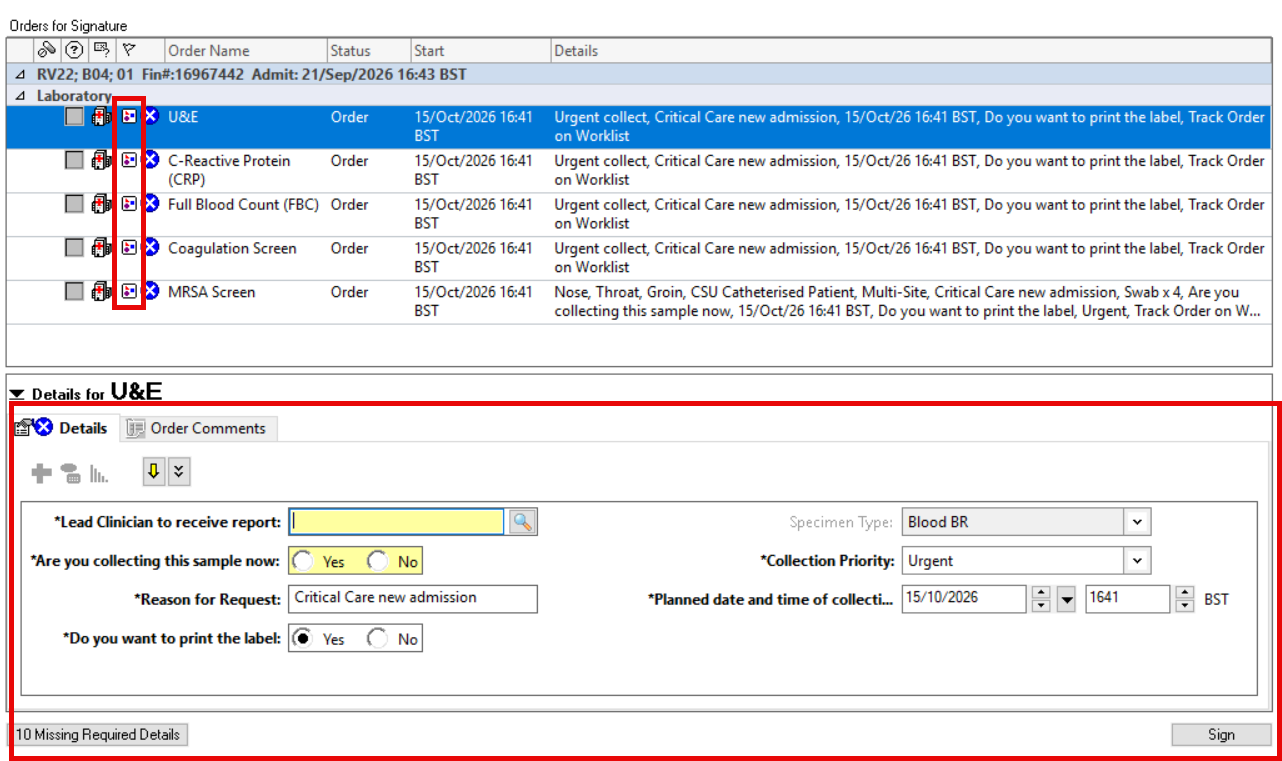
More results...
Order sets are predefined groups of orders or medications used for a specific purpose. For example, a ward might have an order set containing common orders related to the associated speciality or a certain condition might have an order set with associated tests and treatments. Having an order set saves having to search for each item individually. Some of the order details may also be pre-completed when using an order set.
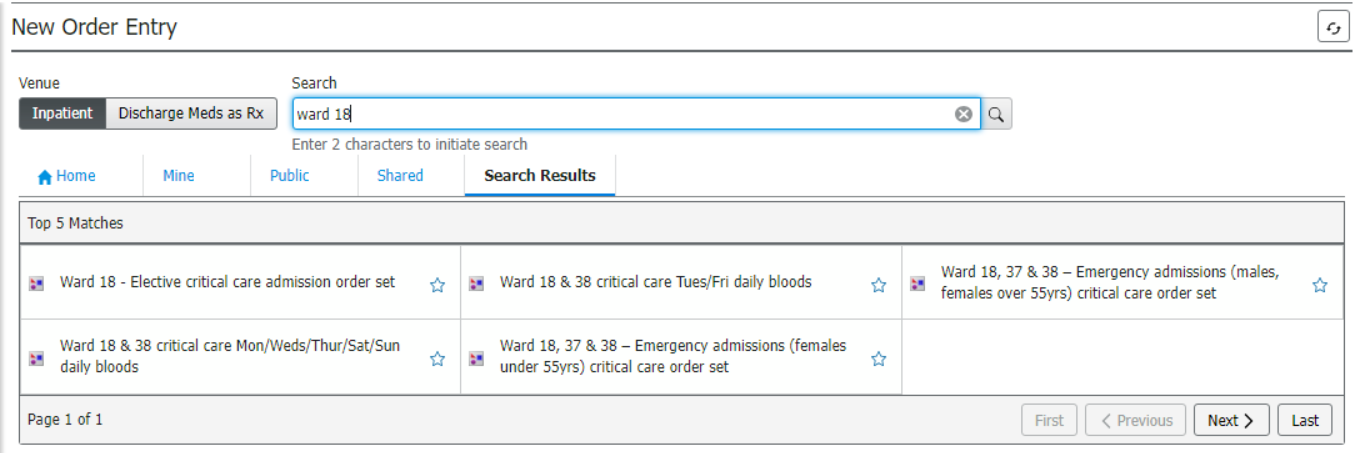
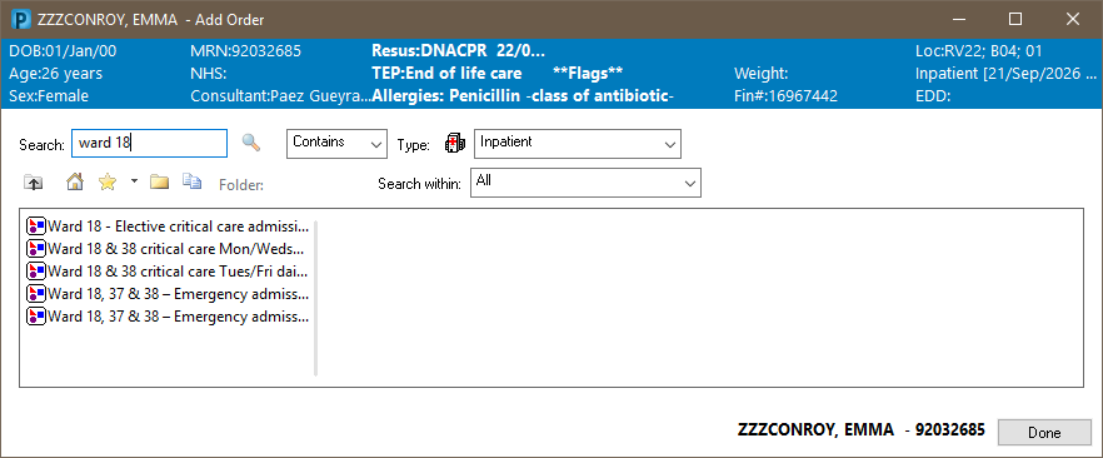
Order Sets are identifiable by this icon . Most also contain the term ‘order set’ which can be used when searching. If ordering via requests / care plans, remember to change the drop down to ‘contains’ if searhing for the term ‘order set’.
Example searching via Workflows:
Example searching via Requests/ Care Plans:
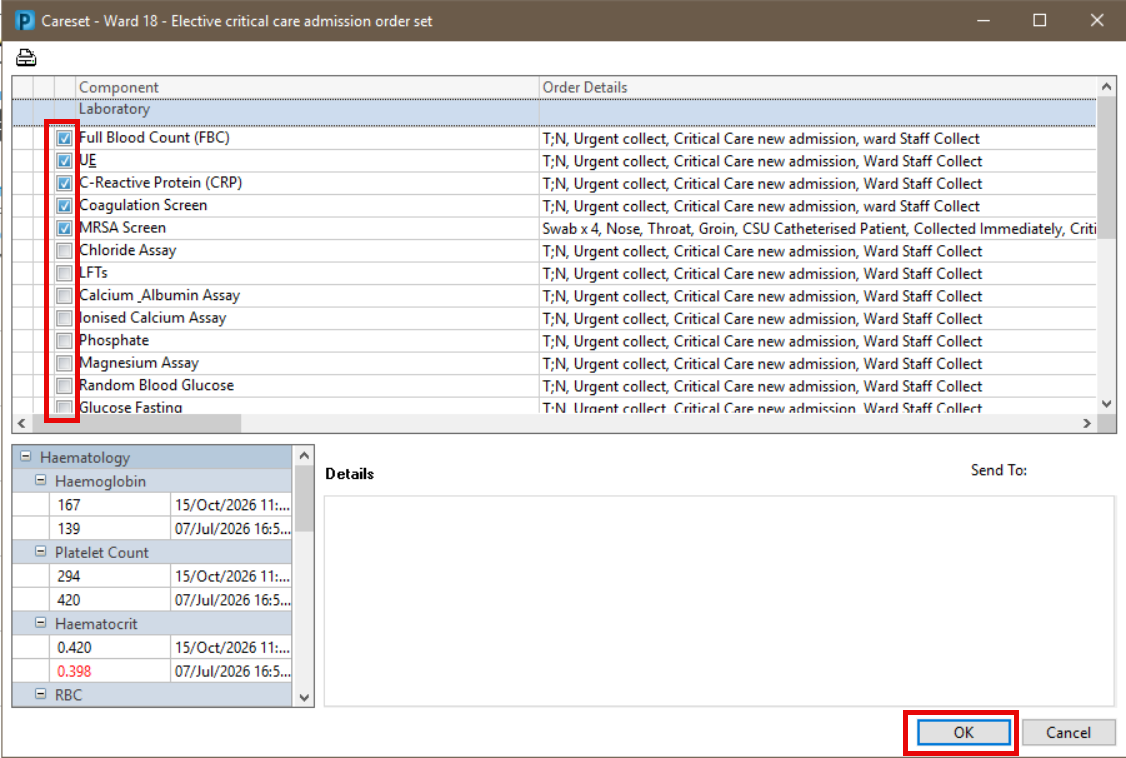
icon.